 Reports
Markets
Latest
Maps
Learn
Chat
Reports
Markets
Latest
Maps
Learn
Chat
Create a Monday morning market post
Load a market dashboard and look for an interesting trend in the insight cards.
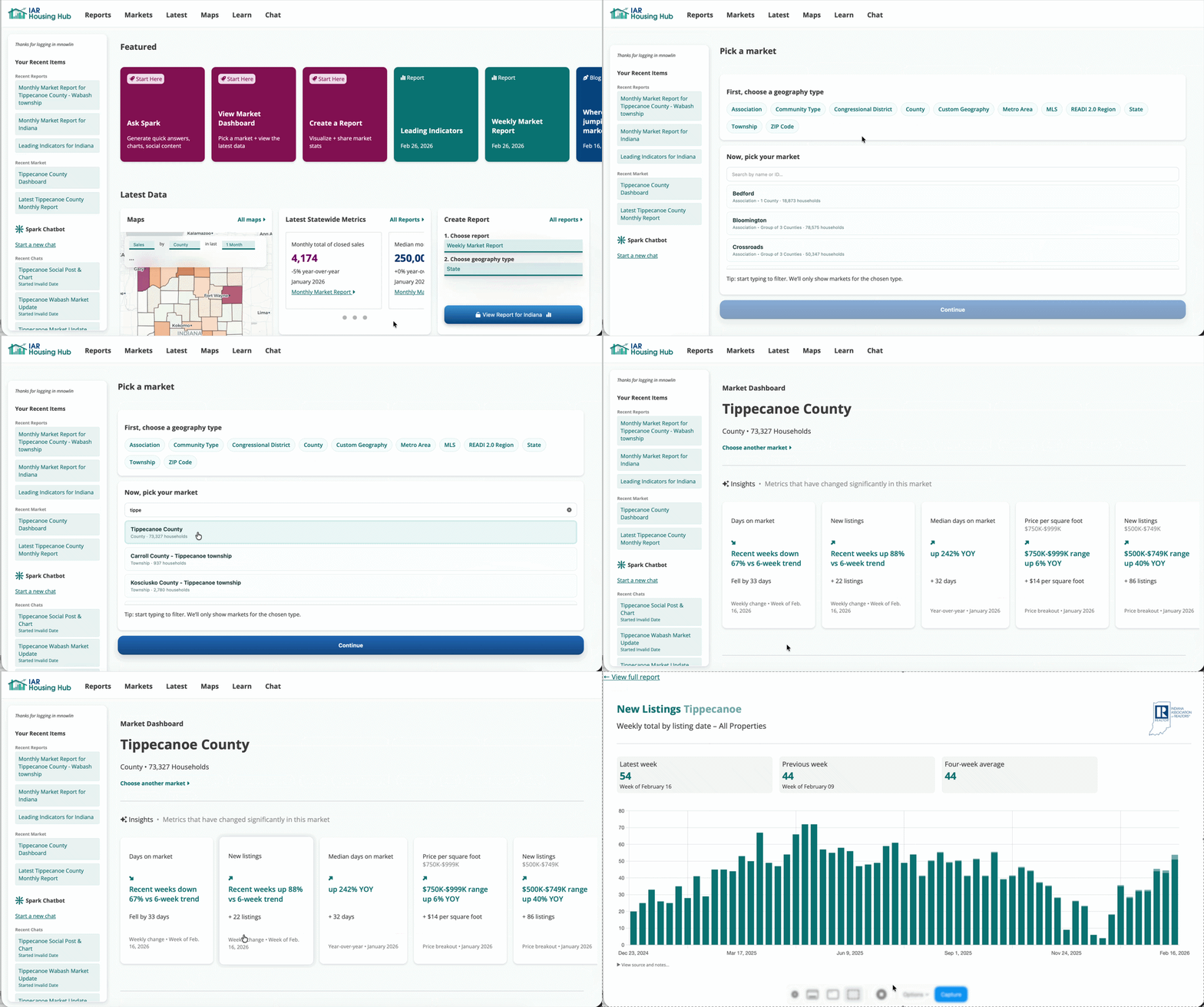
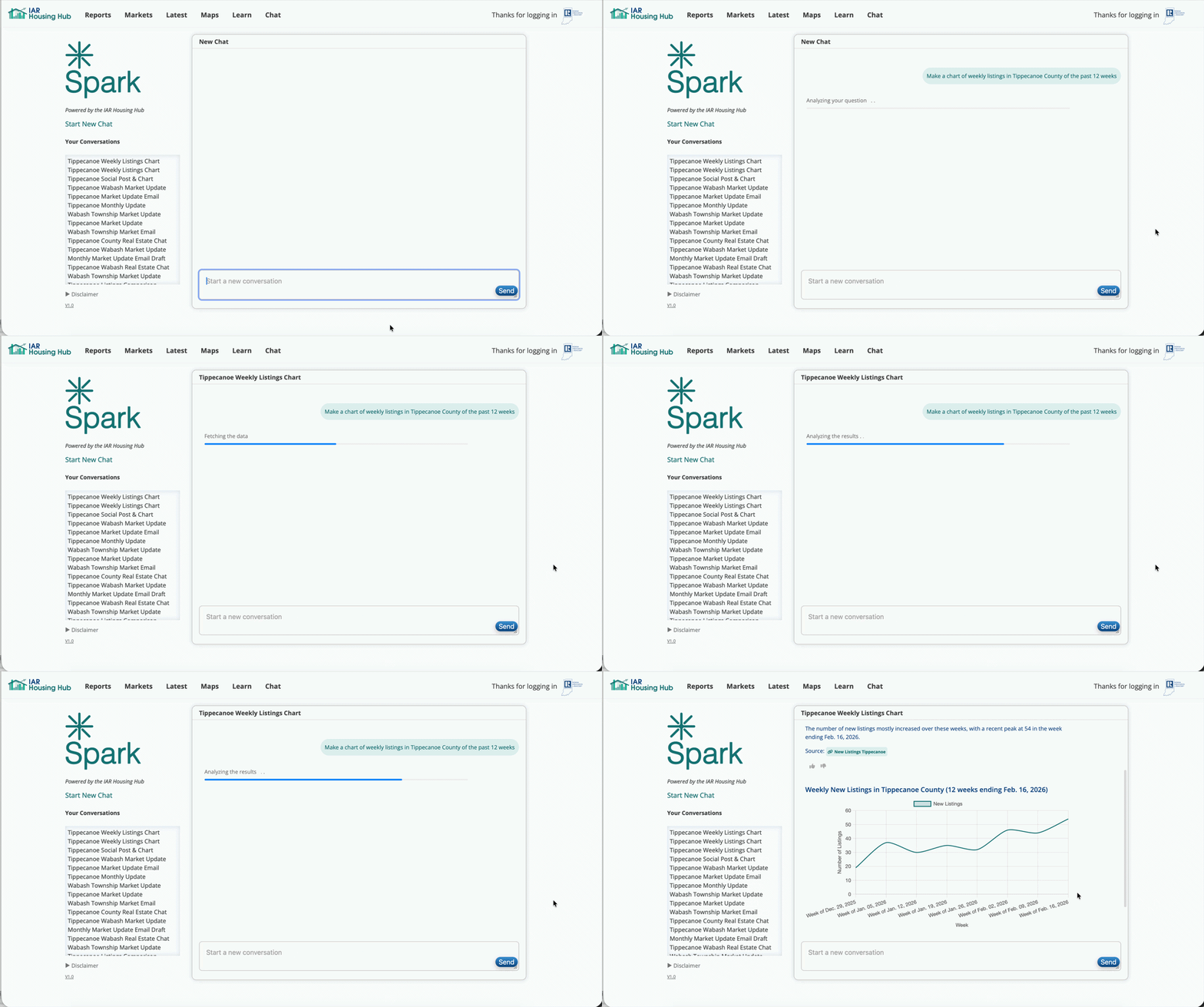
The default chart was okay, but let's build one that focuses just on the last few weeks.
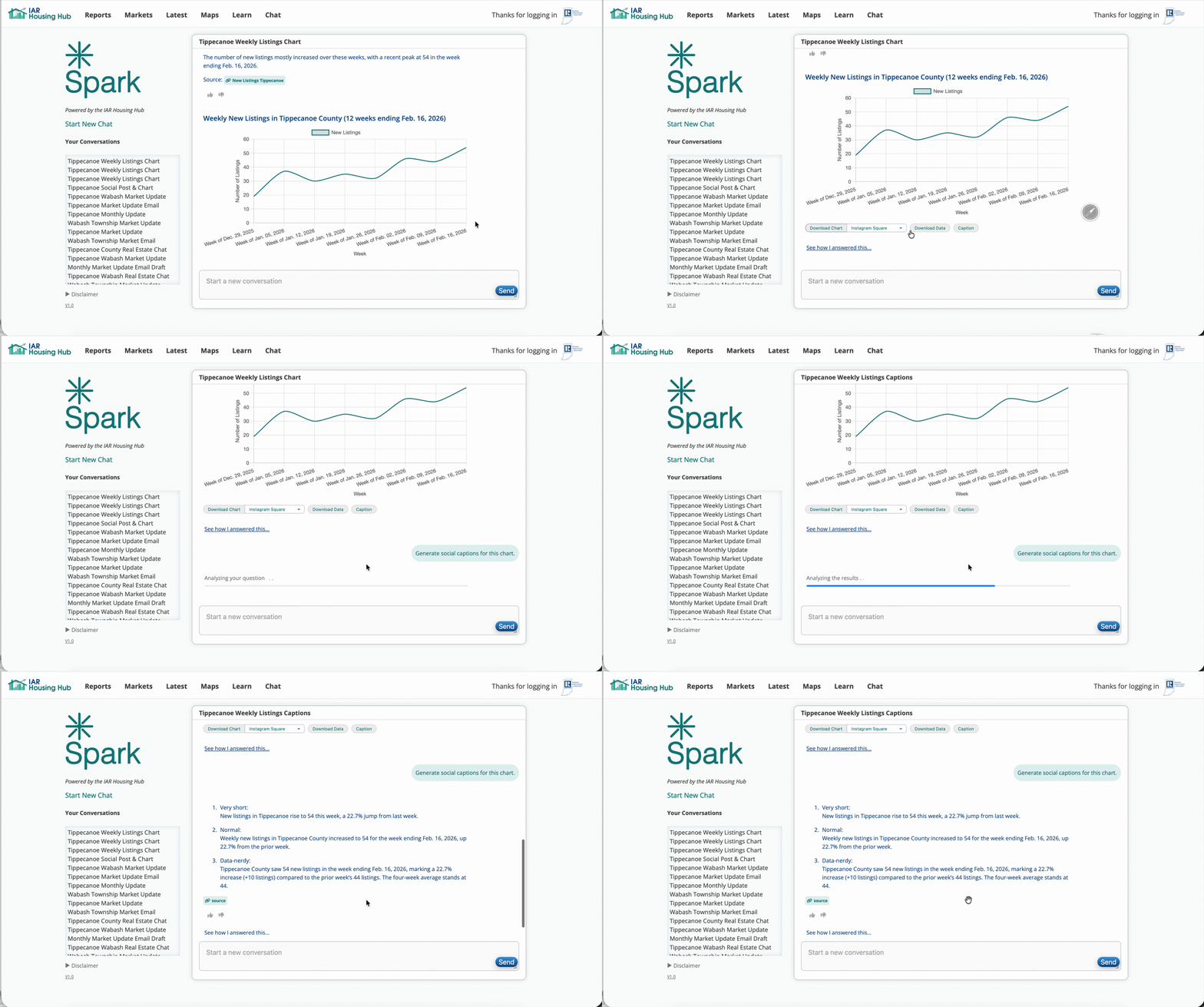
Pick the optimal size for your platform, and use the generated captions as a starting point.
Weekly updates don’t need depth—they need consistency. One clear chart and one sentence of context is enough to signal that you’re paying attention.
Over time, this builds credibility without overwhelming your audience.
Find a trend that stands out, but make sure the change is not just weekly noise.