Text-Only Market Update

4 Min.
Video
Brokers

Fast bullet points + ranges, formatted for you to plug into your template.

Preview

Pick metrics

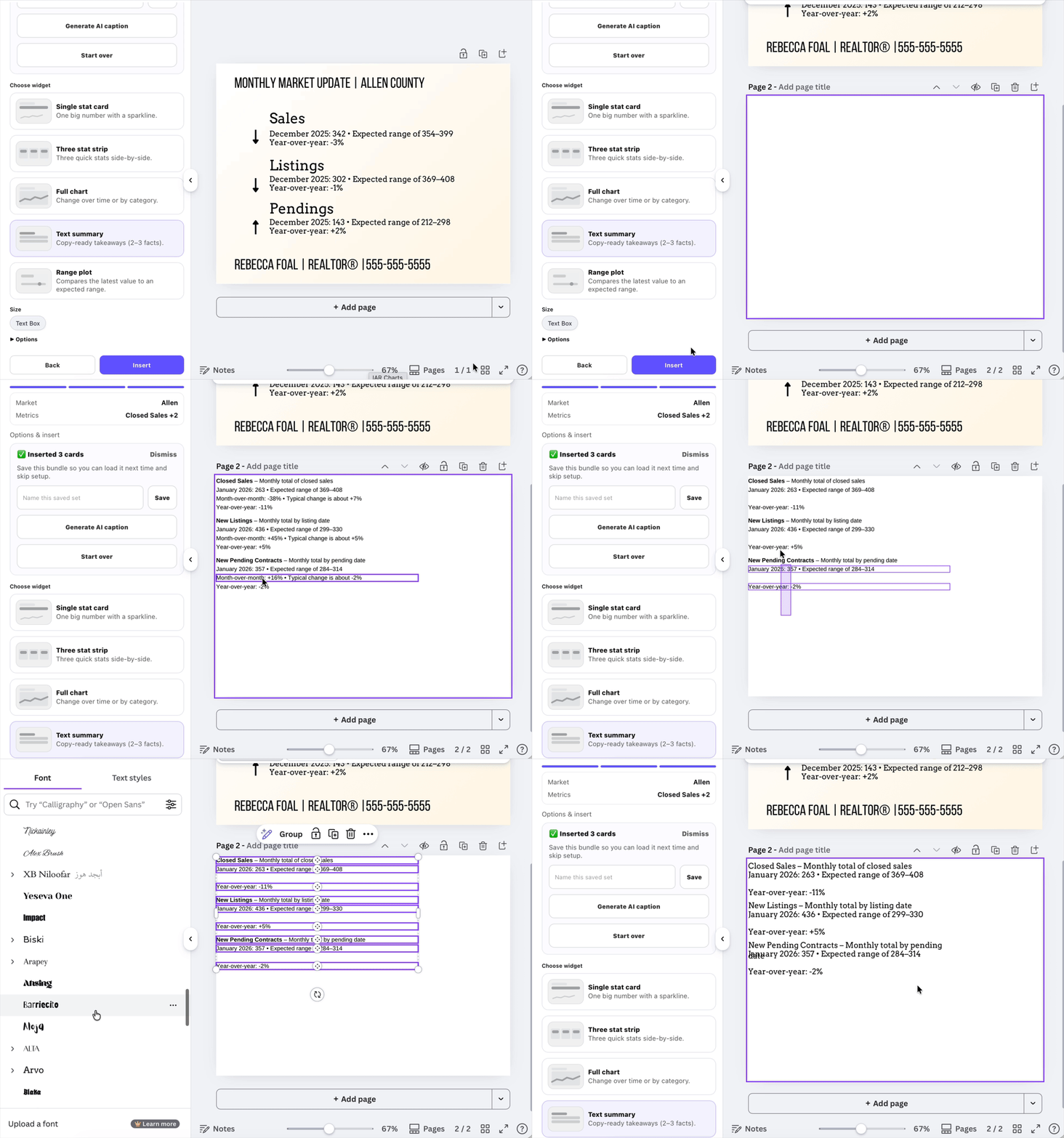
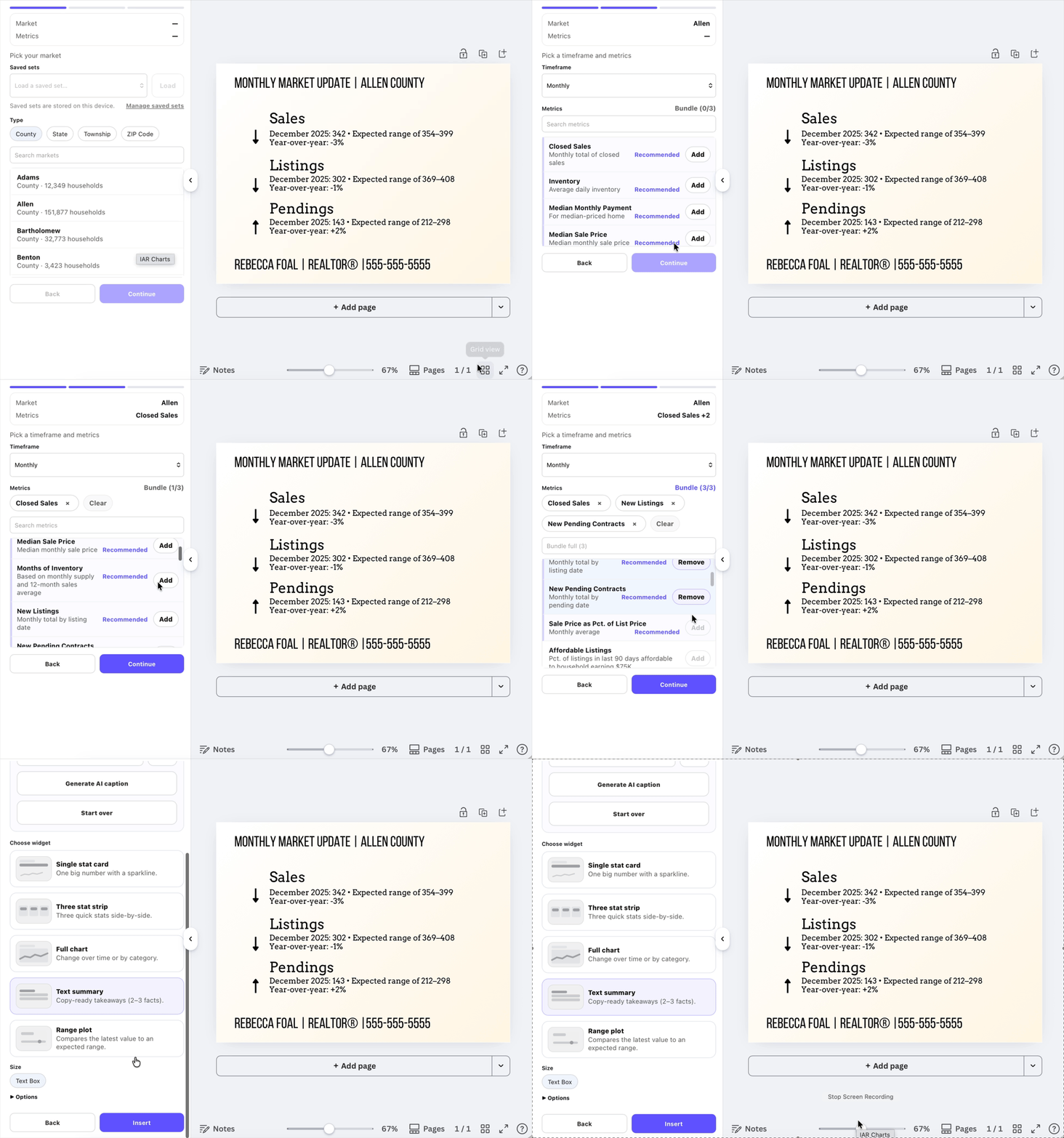
Preview: Select market → pick 1–3 metrics for text summary

Add text

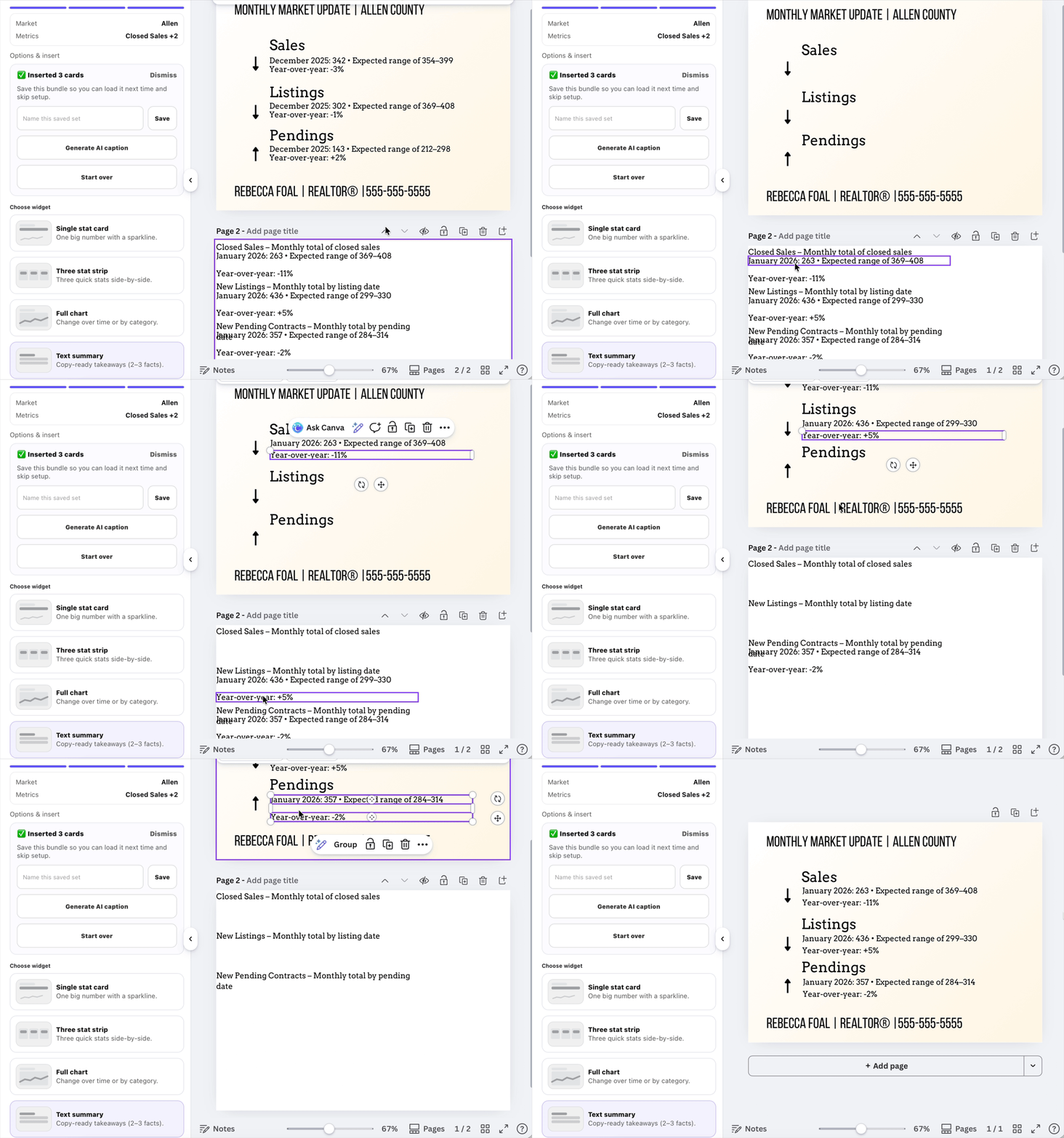
Preview: Insert text widget → format headline and bullets

Place nuggets

Preview: Delete placeholder text → move nuggets into template

How to do it

This format is ideal when your audience wants quick takeaways they can slot into their own templates. Instead of one big paragraph, you get clean, reusable text nuggets.

When to use this

Steps

  1. Select your market.
  2. Choose up to three metrics.
  3. Insert the text summary widget.
  4. Delete any placeholder text in your Canva template.
  5. Drag each nugget into place next to icons, charts, or photos.

Why this works

This approach is especially effective when you already have a branded template and just need fresh numbers each week. Think of it as data you can remix, not a block you have to work around.


Pro tip

Keep each nugget to one idea. Short lines are easier to rearrange, reuse, and pair with visuals.

Create this layout →