
Use Spark to create a social media post
Open SparkAsk for a social media post about your market. Spark writes a short post from the latest numbers and pins it to your pinboard.
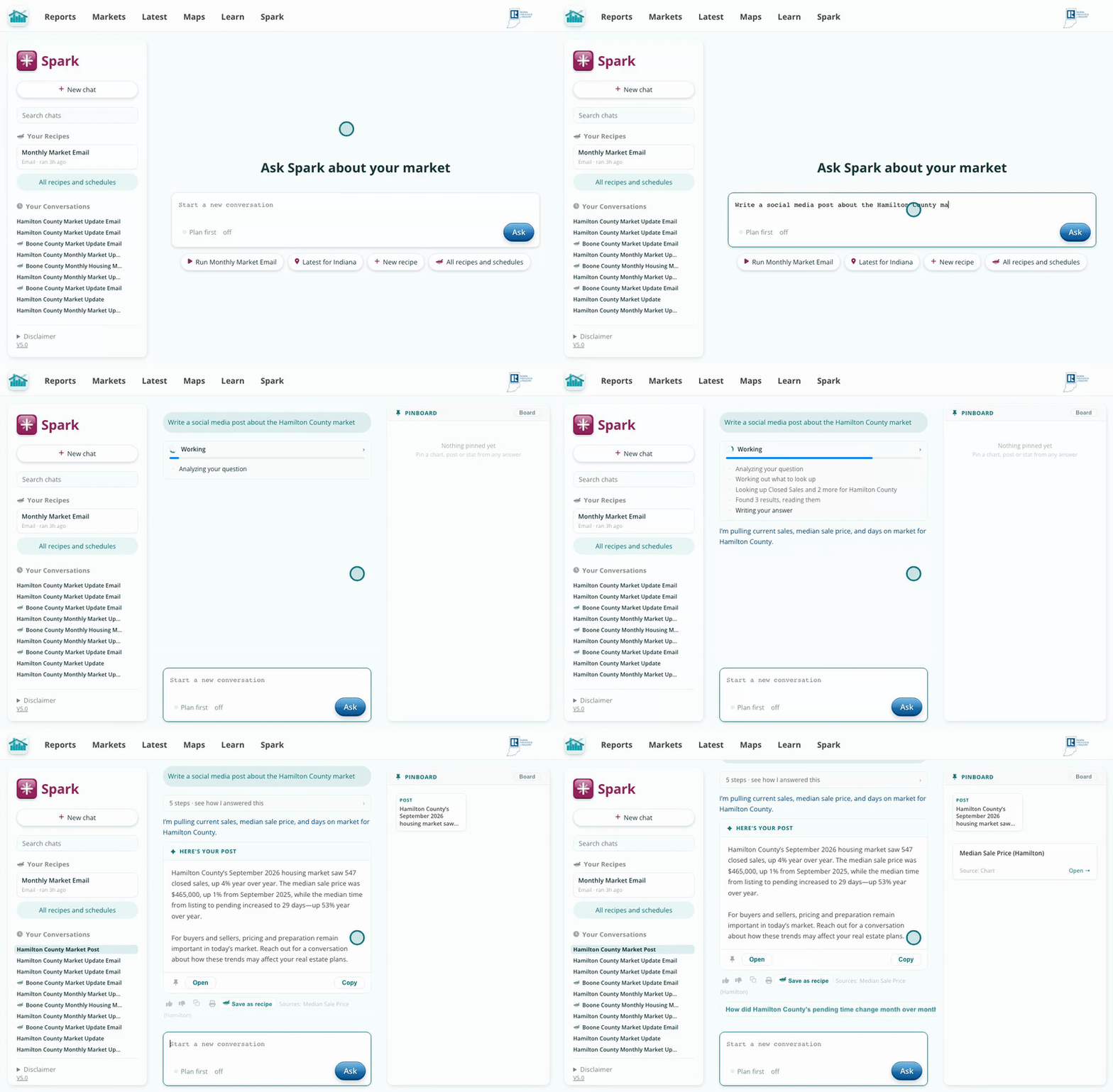
A ready-to-edit post, built from current data.
Click Open on the post. Pick Instagram, Facebook, LinkedIn or X under Rewrite for and Spark fits the length, tone and hashtags to that platform. Edit anything by typing, then click Copy and paste it as your caption.
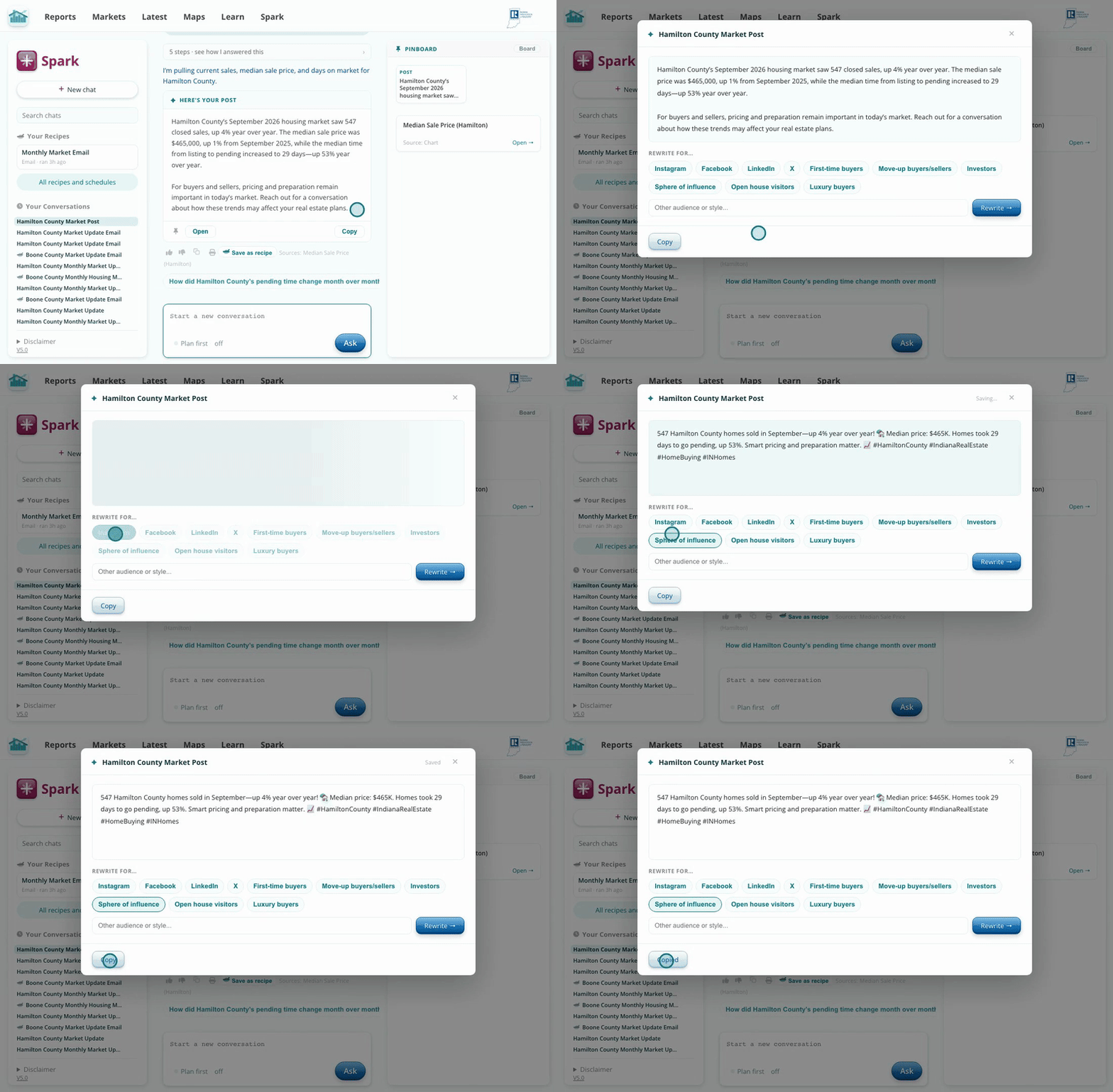
One click fits the post to the platform.
Ask Spark a question about your market, then highlight any number in the answer and click Make a social graphic. It lands on your pinboard as a graphic you can open, edit, add your name to, and download.
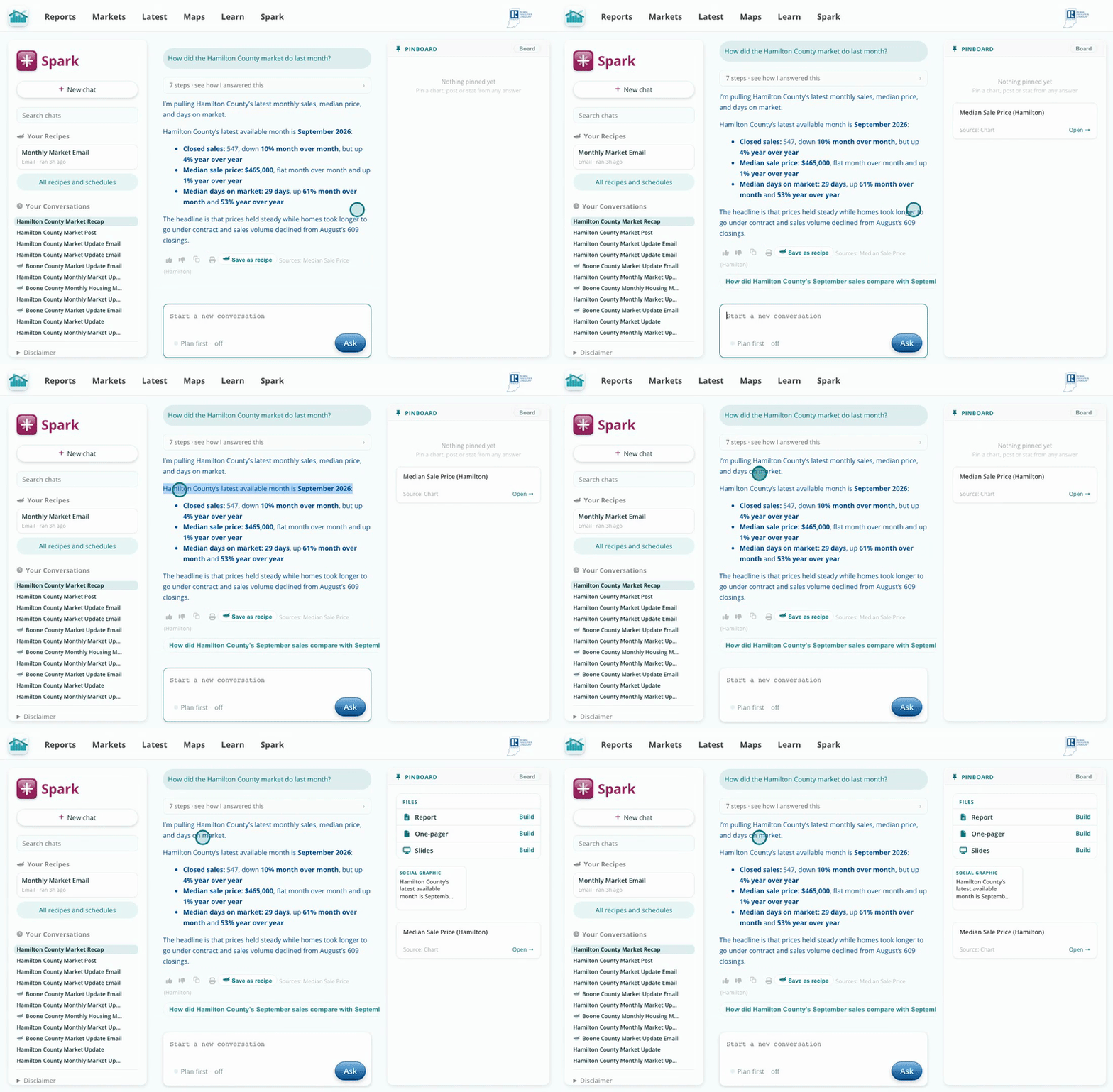
Highlight a number, click once, and you have a graphic.
Posts that lead with one local number get more attention than general market talk. Spark writes from the Hub's data, so the number is real and current, and the platform rewrite handles the length and hashtag habits of each site.
After a data answer, the pinboard suggests a couple of social graphics on its own. Click Keep on the one you like.