
Star the markets and reports you use most, and keep them one click away.
Manage favoritesOn any market dashboard, click Favorite this market. The star fills in and the market slides into Your Markets in the sidebar.
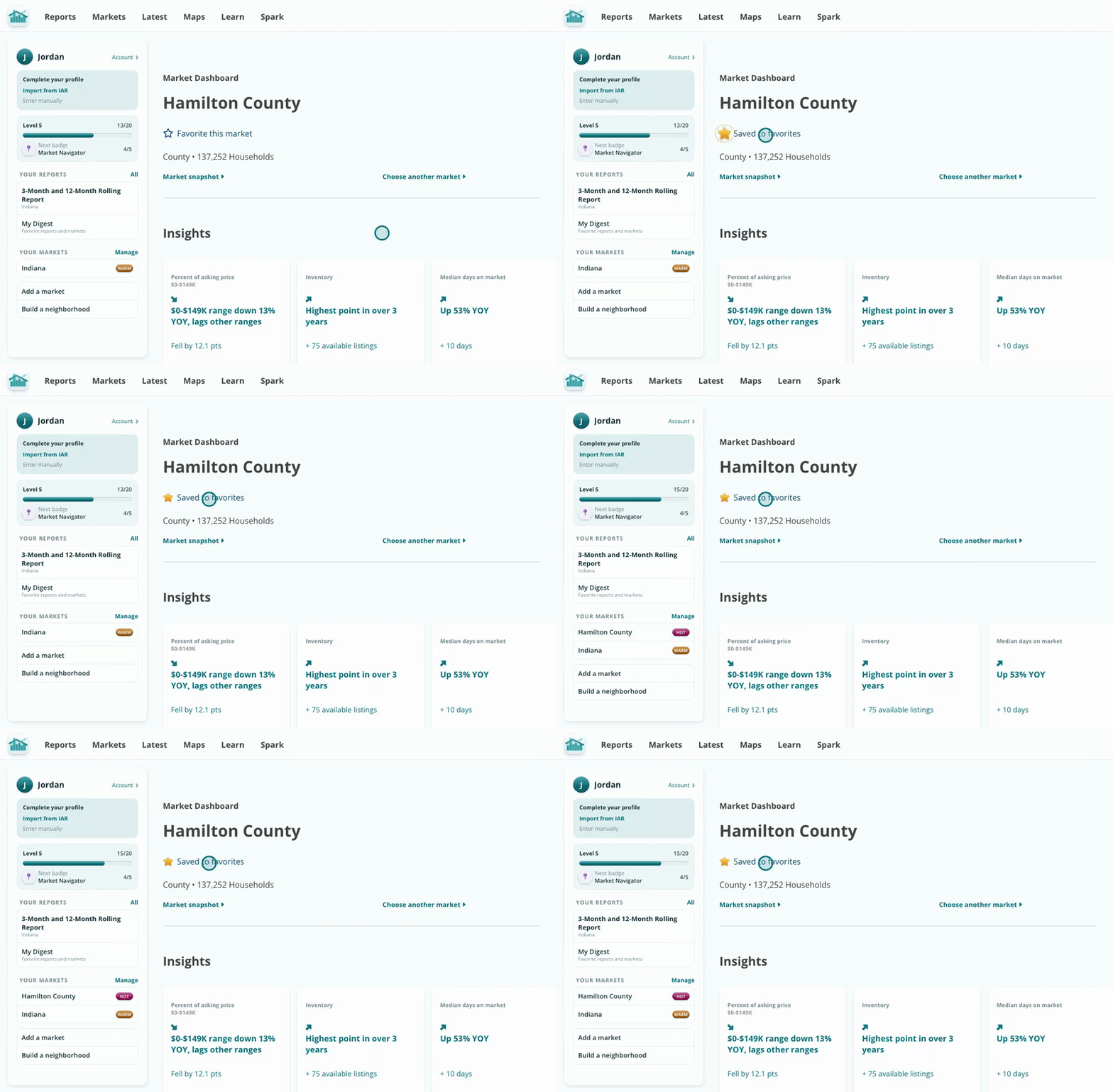
Star it once and it stays in your sidebar.
Click Manage next to Your Markets in the sidebar. Check the reports and markets you use most, up to three reports, then click Save favorites.
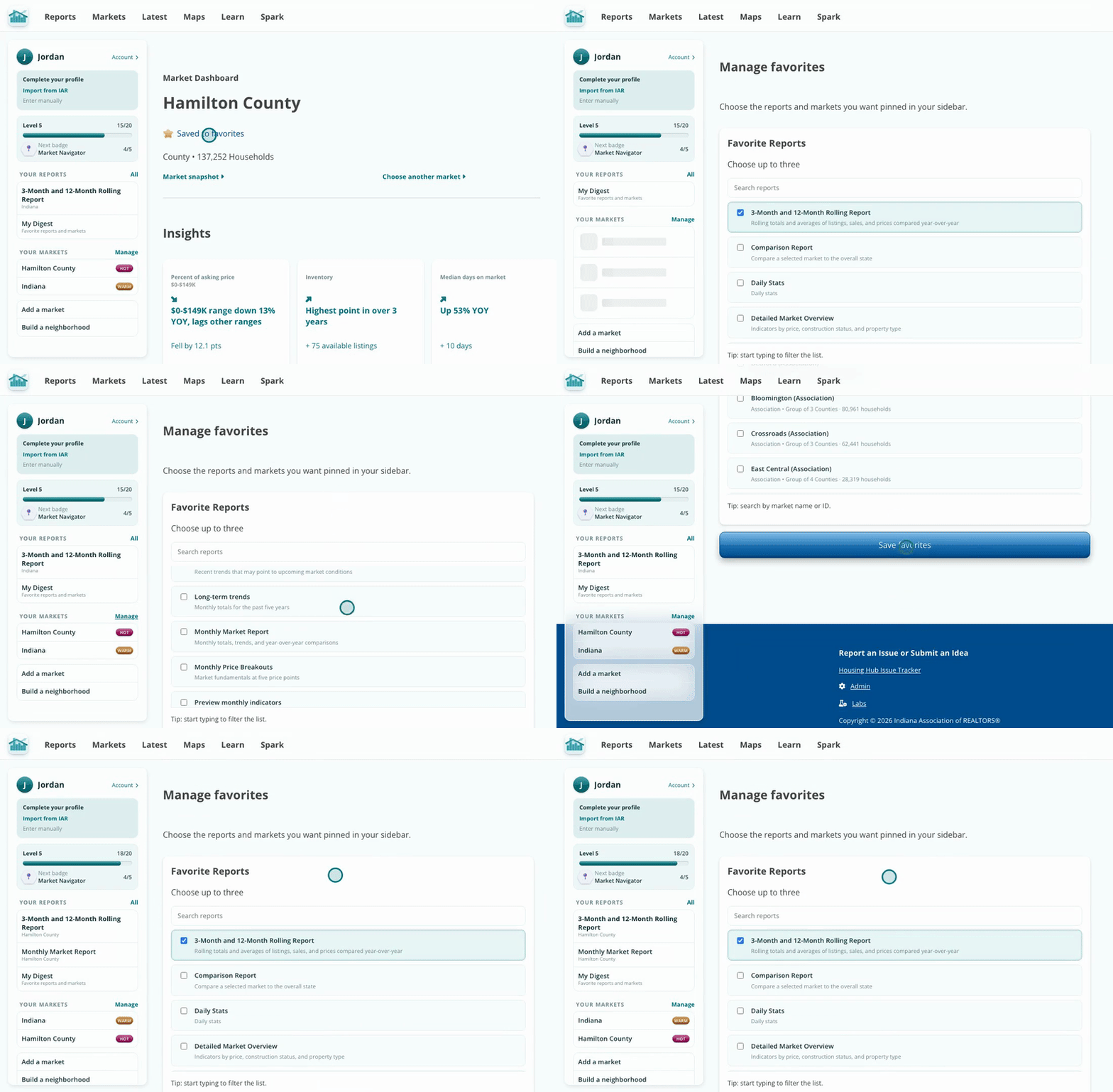
Pick your reports and markets together, then save.
Your favorites sit in the sidebar on every page, with a heat label on each market. Click a market to open its snapshot, or a report to build it for your favorite market.
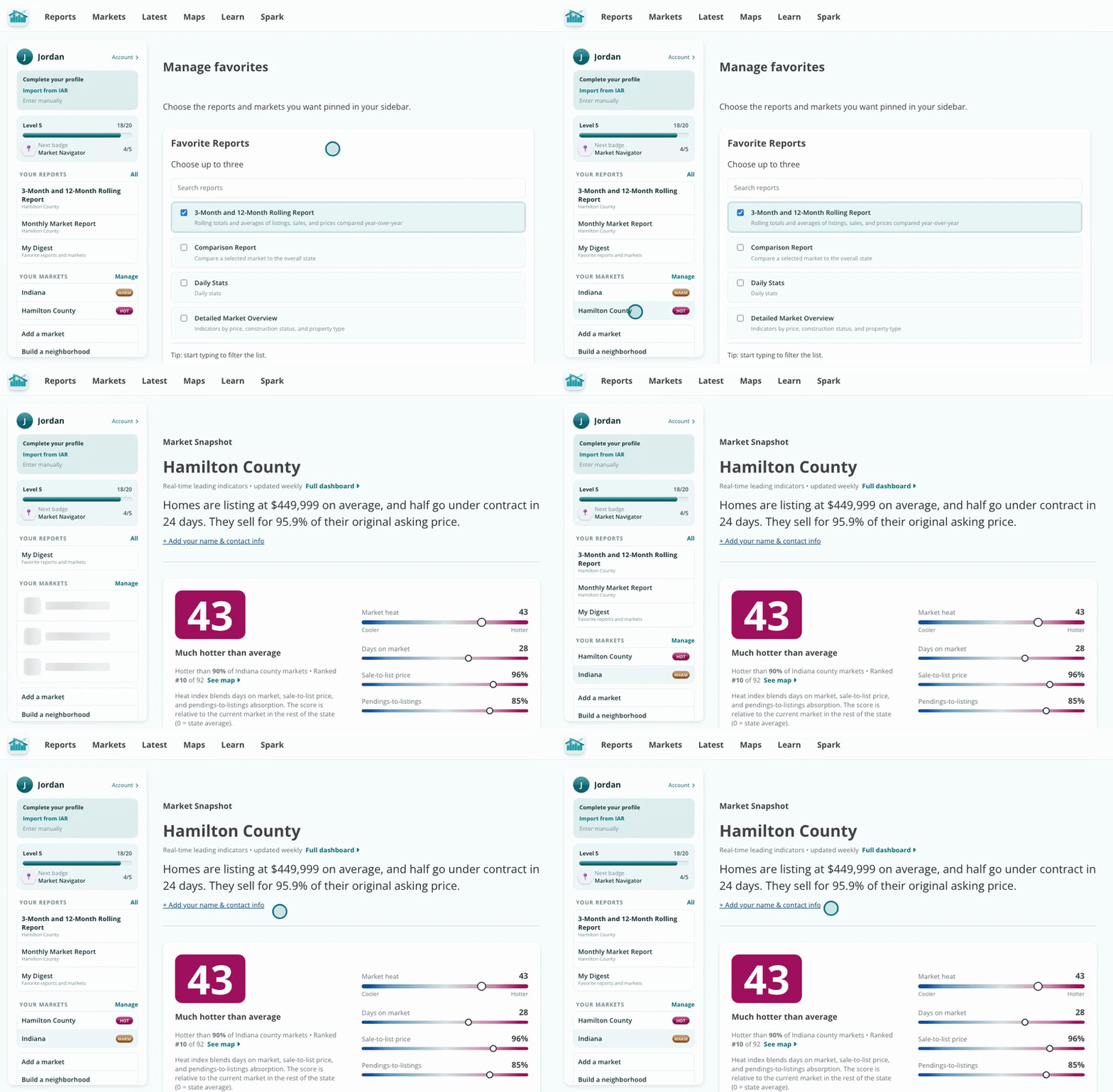
Your markets and reports, one click from anywhere.
You work the same markets and pull the same reports week after week. Favoriting them turns a search into a single click, so you spend less time navigating and more time with clients.
Favorite a market from its dashboard the moment you land on it, that way it's saved before you move on.