 Reports
Markets
Latest
Maps
Learn
Chat
Reports
Markets
Latest
Maps
Learn
Chat
Get an email each time a report updates for your market
When you subscribe to a report, it is for the market you have currently selected. Build another report for a different market if you want to, for example, get updates about both Monroe and Greene County.
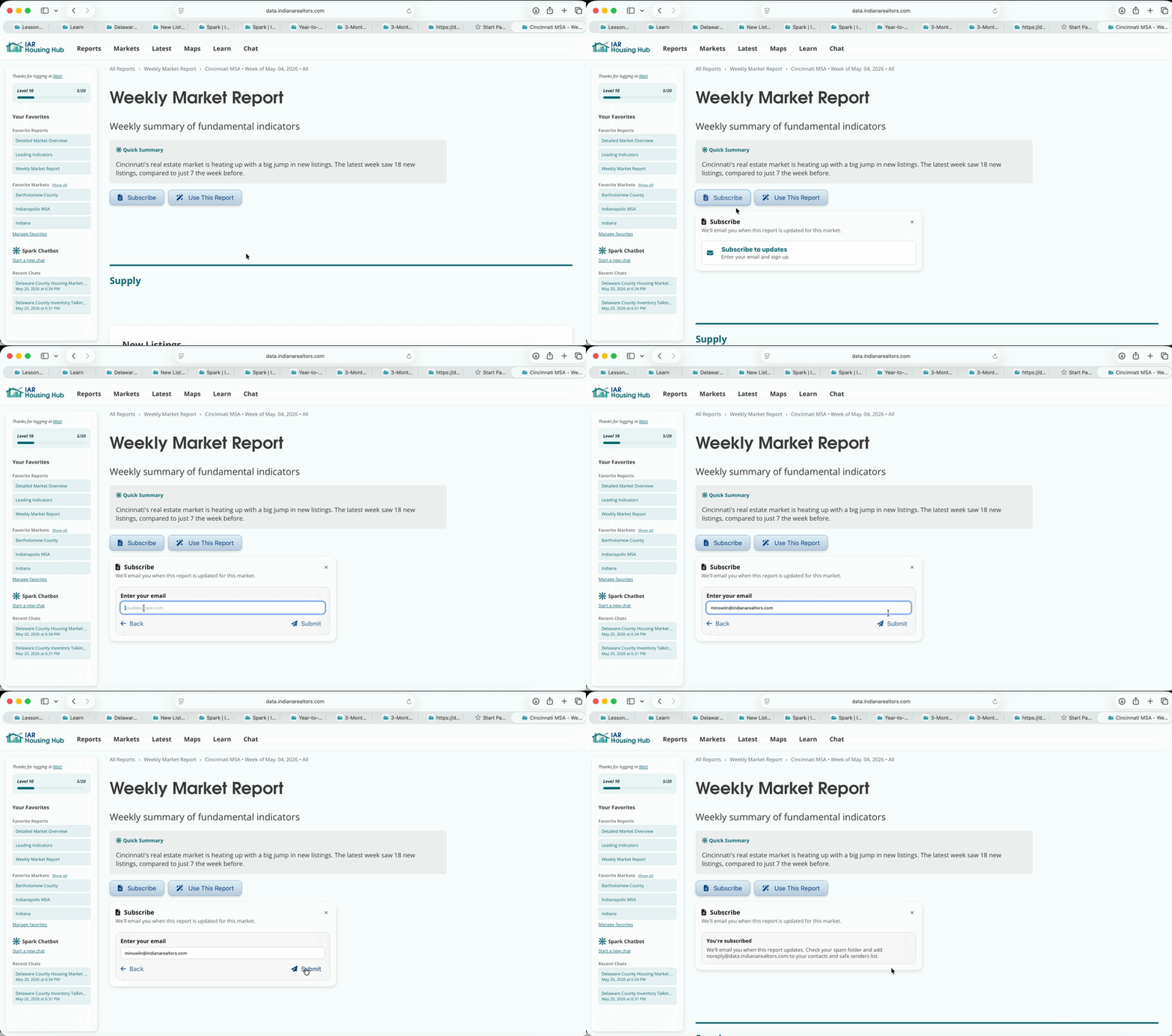
Monthly reports are updated on the 7th, and weekly reports are updated each Thursday. If you're not receiving our emails: Check your spam folder and add [email protected] to your contacts and safe senders list.
Click your name (if you're logged in) to go to your account page. Click "View Digest and Subscriptions". Click the bell on any subscription to unsubscribe.
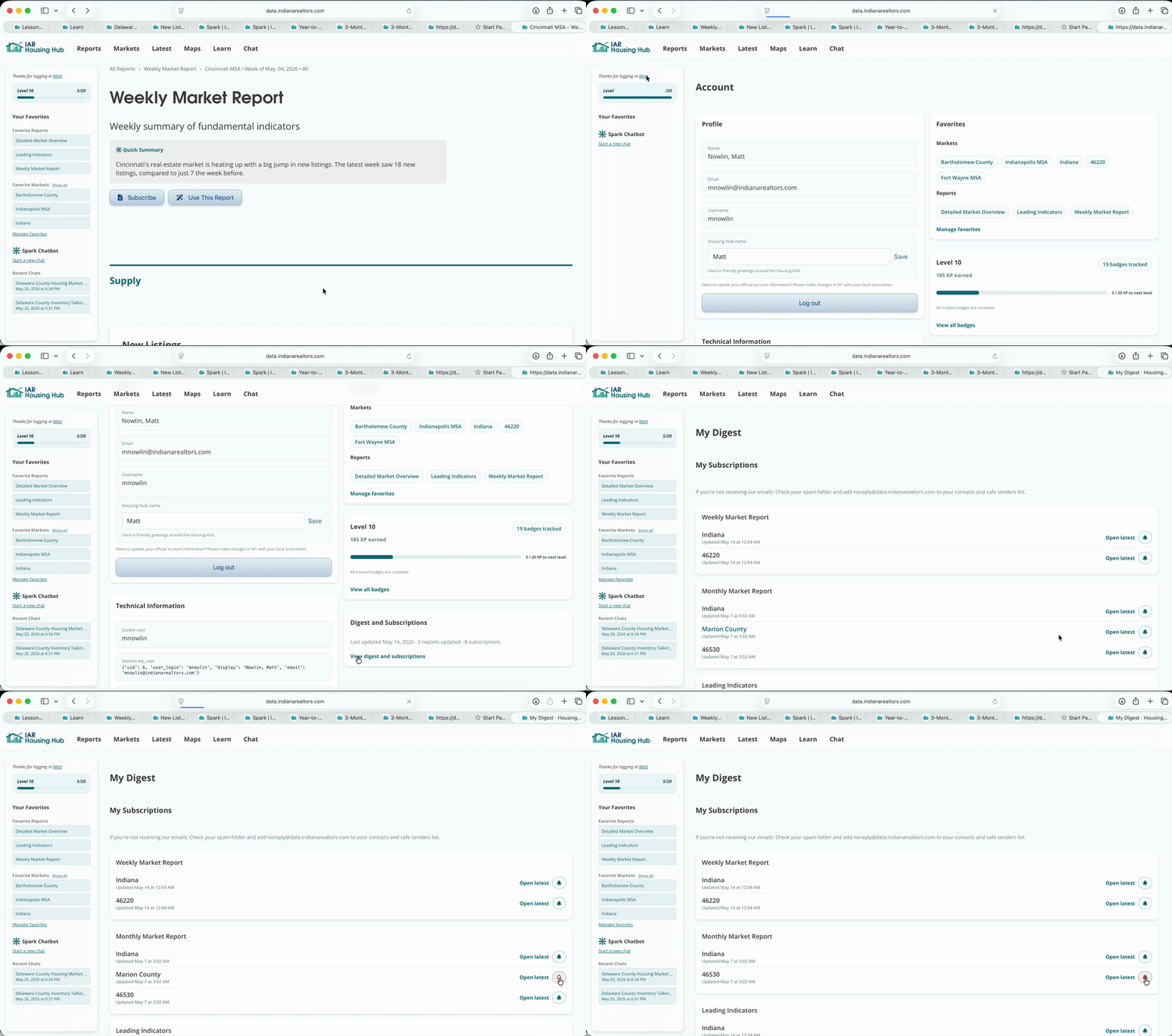
You will also be able to unsubscribe from a link in each email update we send you.
Email notifications are a great way to stay on top of your markets. The email updates even summarize each new report.
Use subscriptions as a reminder for consistent marketing workflows, like a weekly social post or monthly email.