
Save an answer's shape once, run it for any market, or schedule it to automatically email you a monthly or weekly market update when new data lands.
Open recipes and schedulesAsk Spark for the thing you actually send: a market update email, a social caption, a client one-sheet. When the answer comes back in the right shape, that shape is worth keeping.
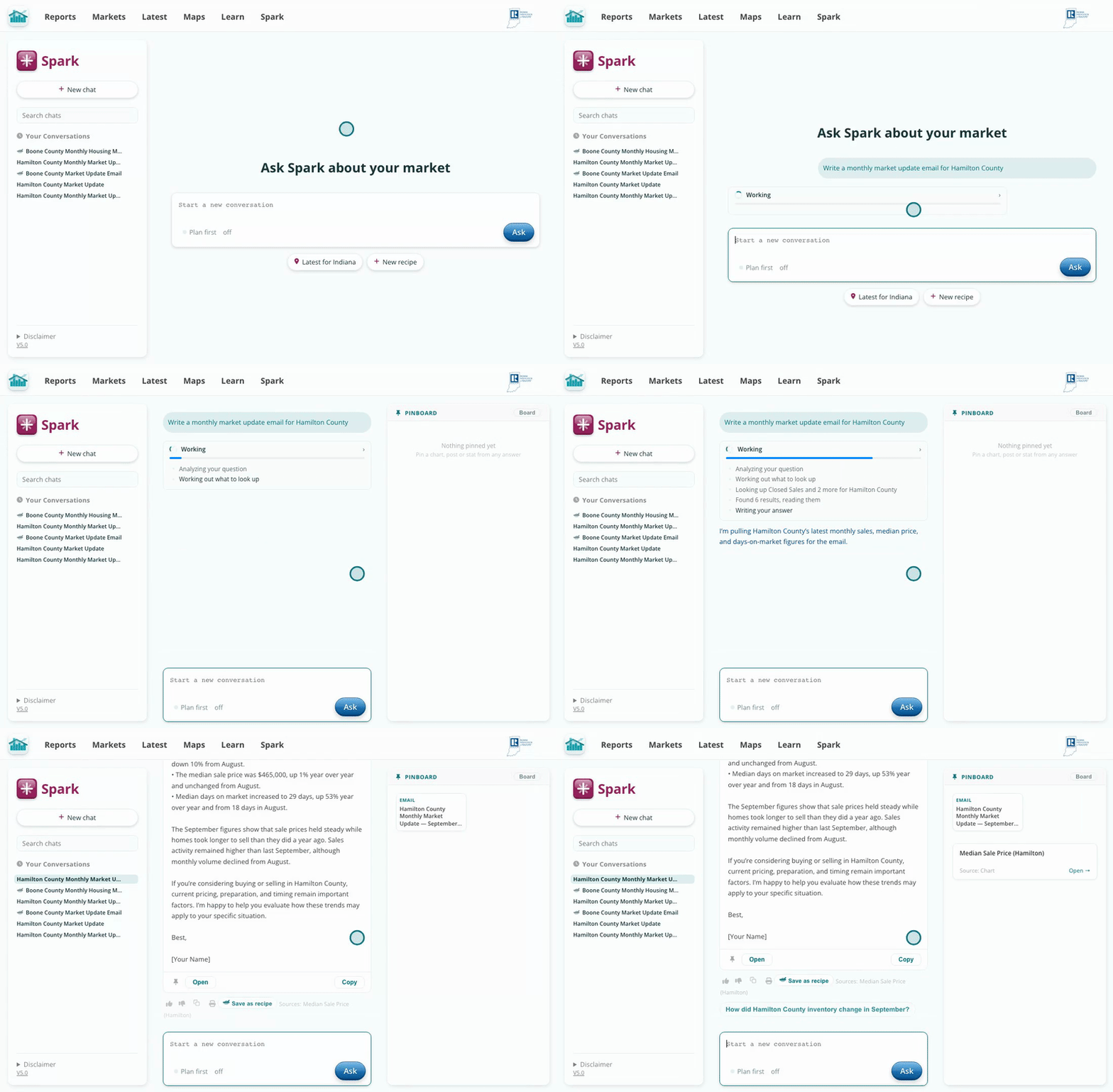
Any answer with a clear format can become a recipe.
Click Save as recipe under the answer. Spark works out what the answer is made of, its sections and how long each runs. Name it, then on Scope choose whether it asks for an area each time or always runs for the same one.
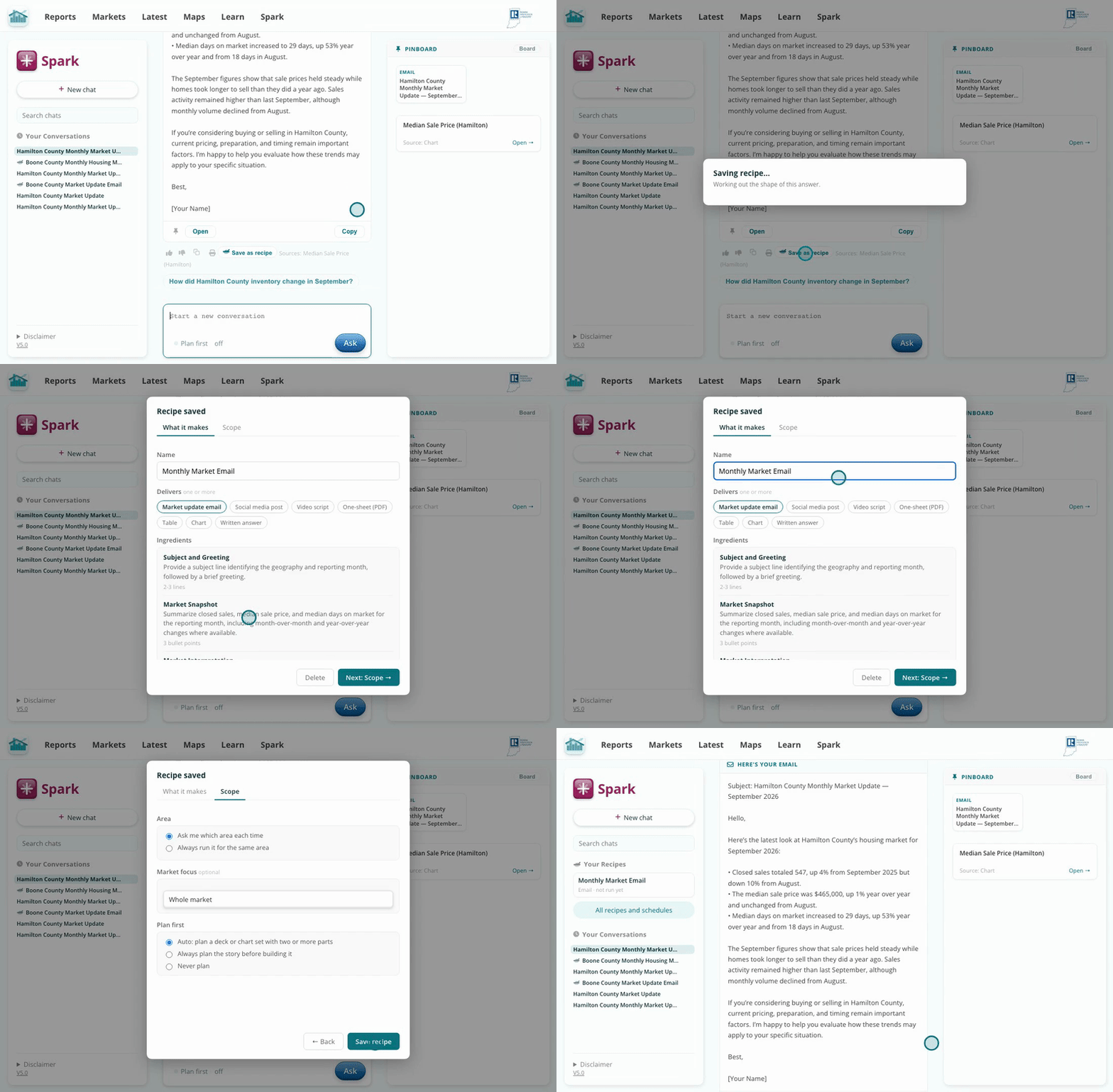
Nothing saves until you click Save recipe.
Start a new chat. Your recipes show up as Run buttons under the text box and in the Spark sidebar. Click one, name an area, and the same shape comes back with that market's current numbers.
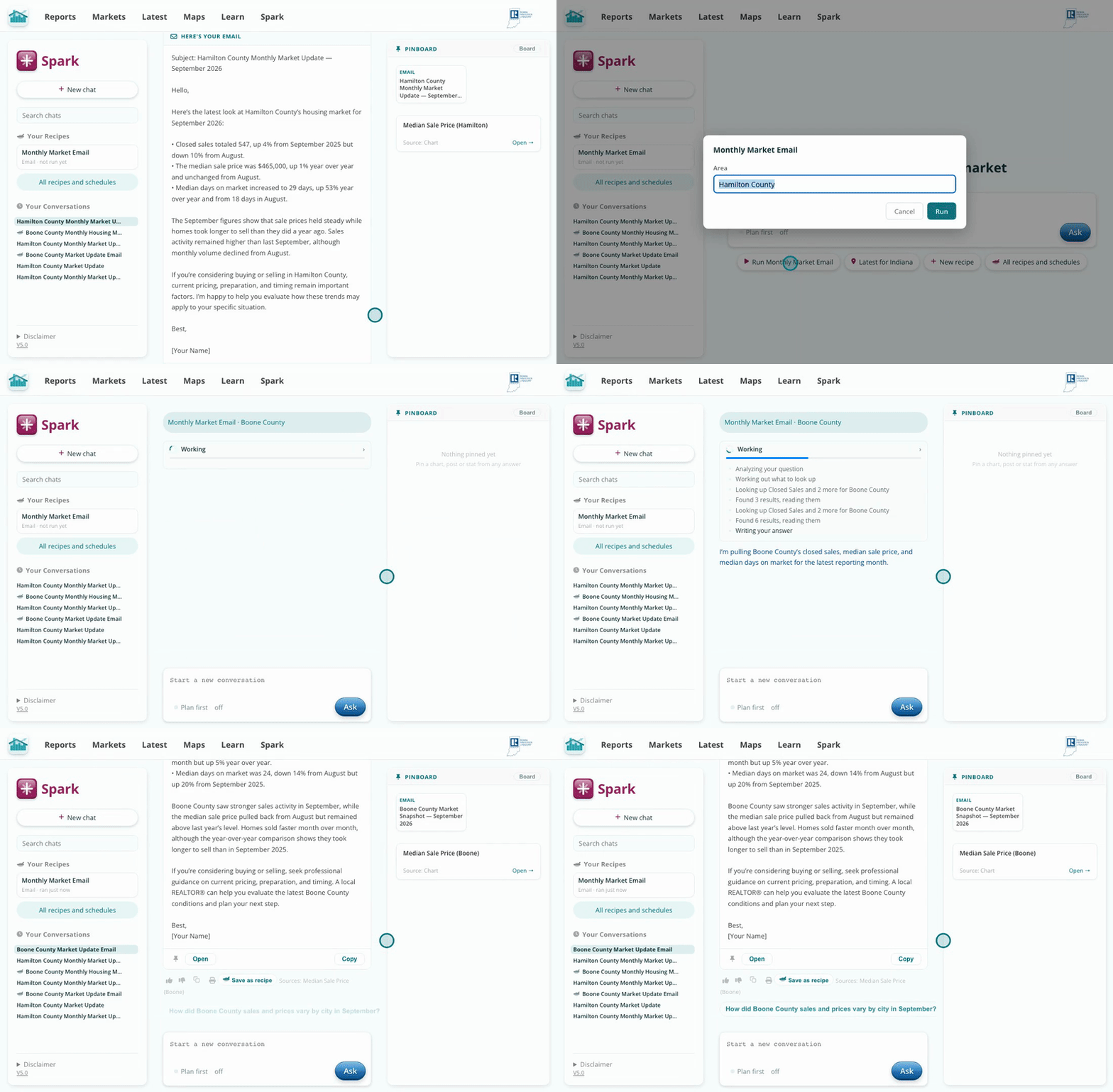
One recipe, any county, ZIP, or town.
Click All recipes and schedules, open Schedules, and click New schedule. Pick the recipe, the area, and how often. The finished piece is emailed to you each time new data lands, monthly or weekly.
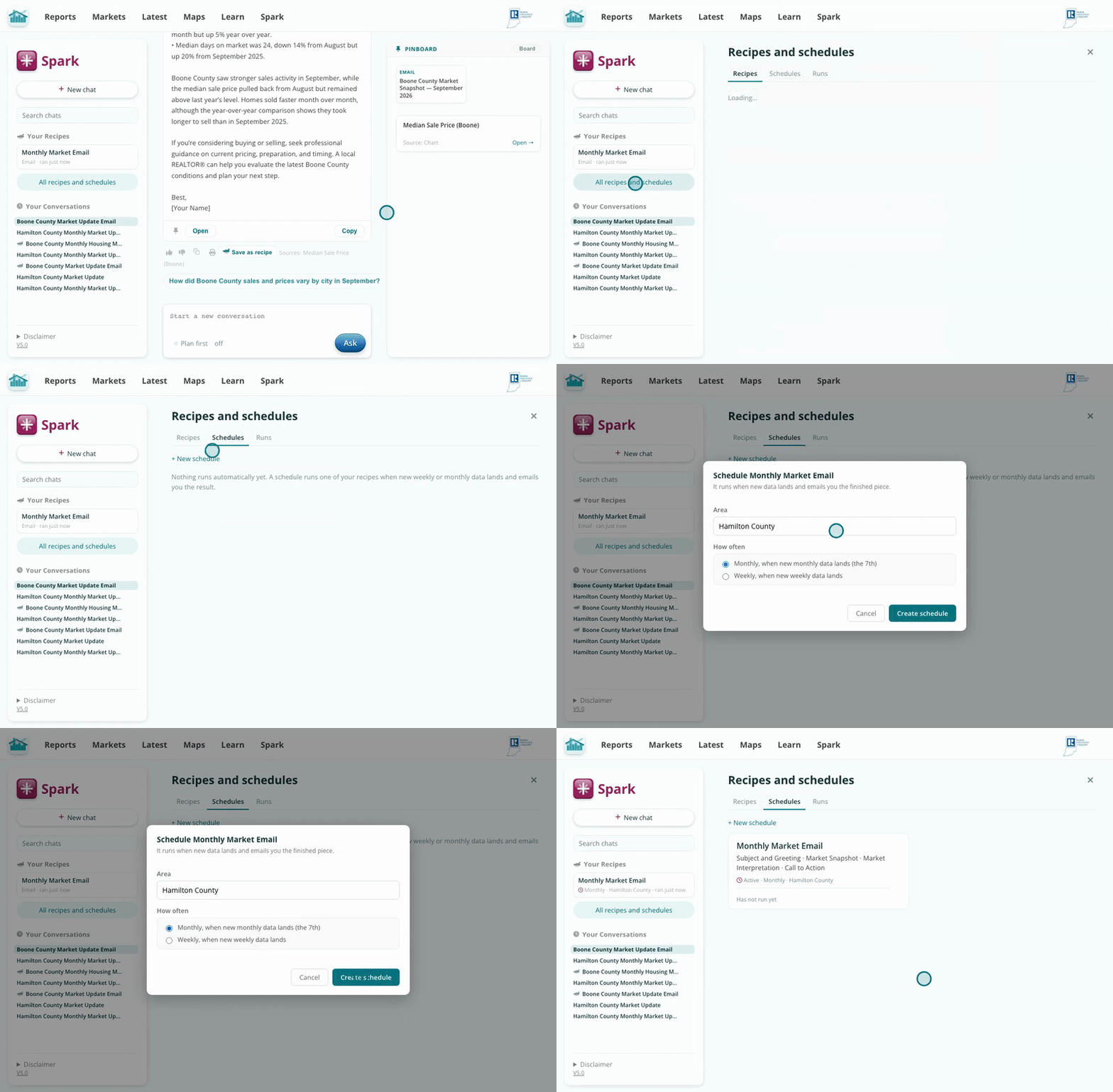
A market update in your inbox, on the data's schedule.
A recipe stores the shape of an answer, the sections, metrics, and length, with the geography lifted out as a slot. Every run fetches live data, so the words stay current while the structure never drifts. Schedules ride the data pipeline itself, firing when new numbers actually land, which means the email in your inbox is always about data that just arrived.
Every recipe you save shows up as a Run button on a new chat, so your most-used ones are always one click away.