Generate a Monthly Market Update Email

5 Min.
Read
Brokers

Keep leads warm by consistently sharing market stats

Preview

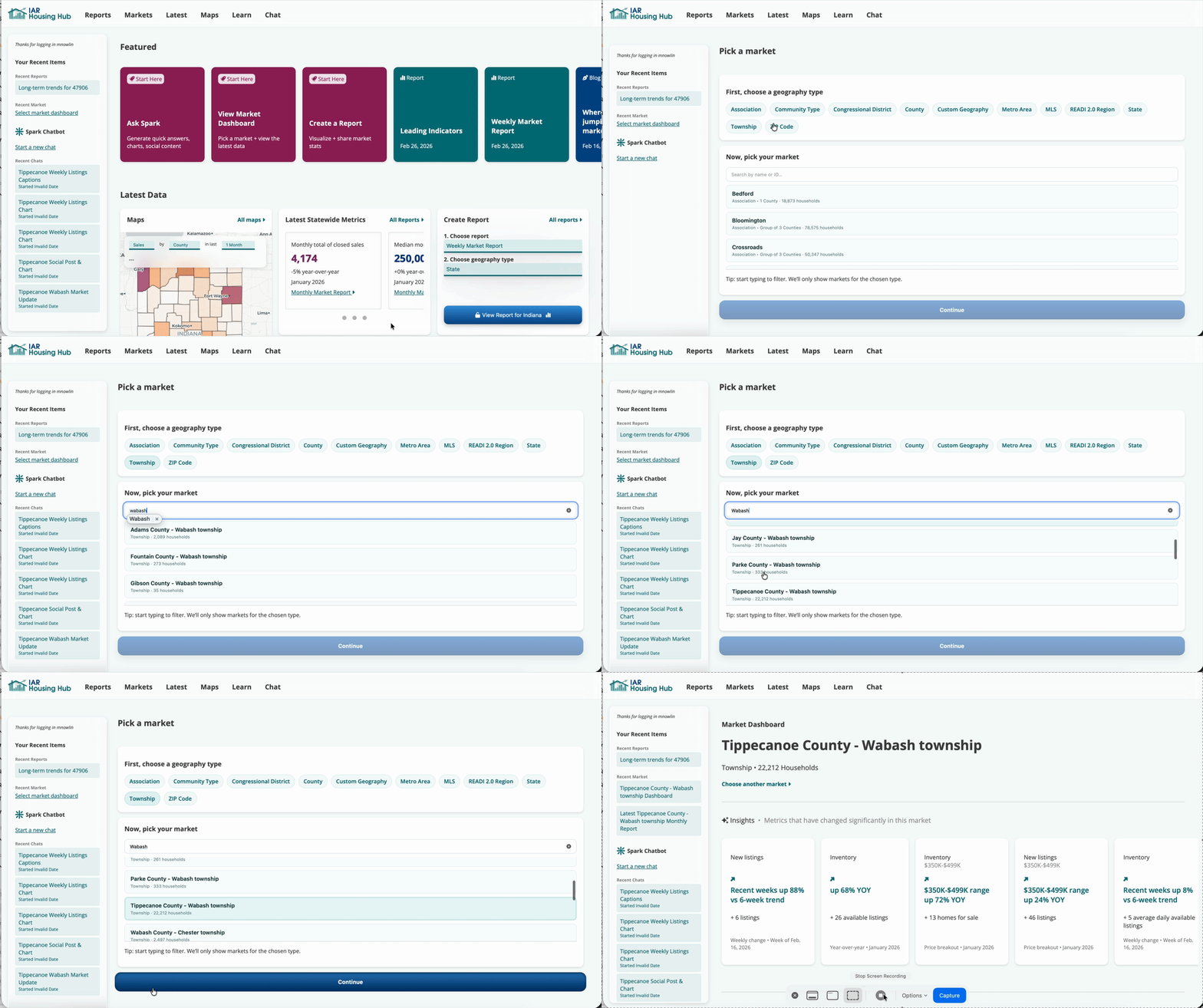
Load township dashboard

Preview: Markets → township selection → load dashboard

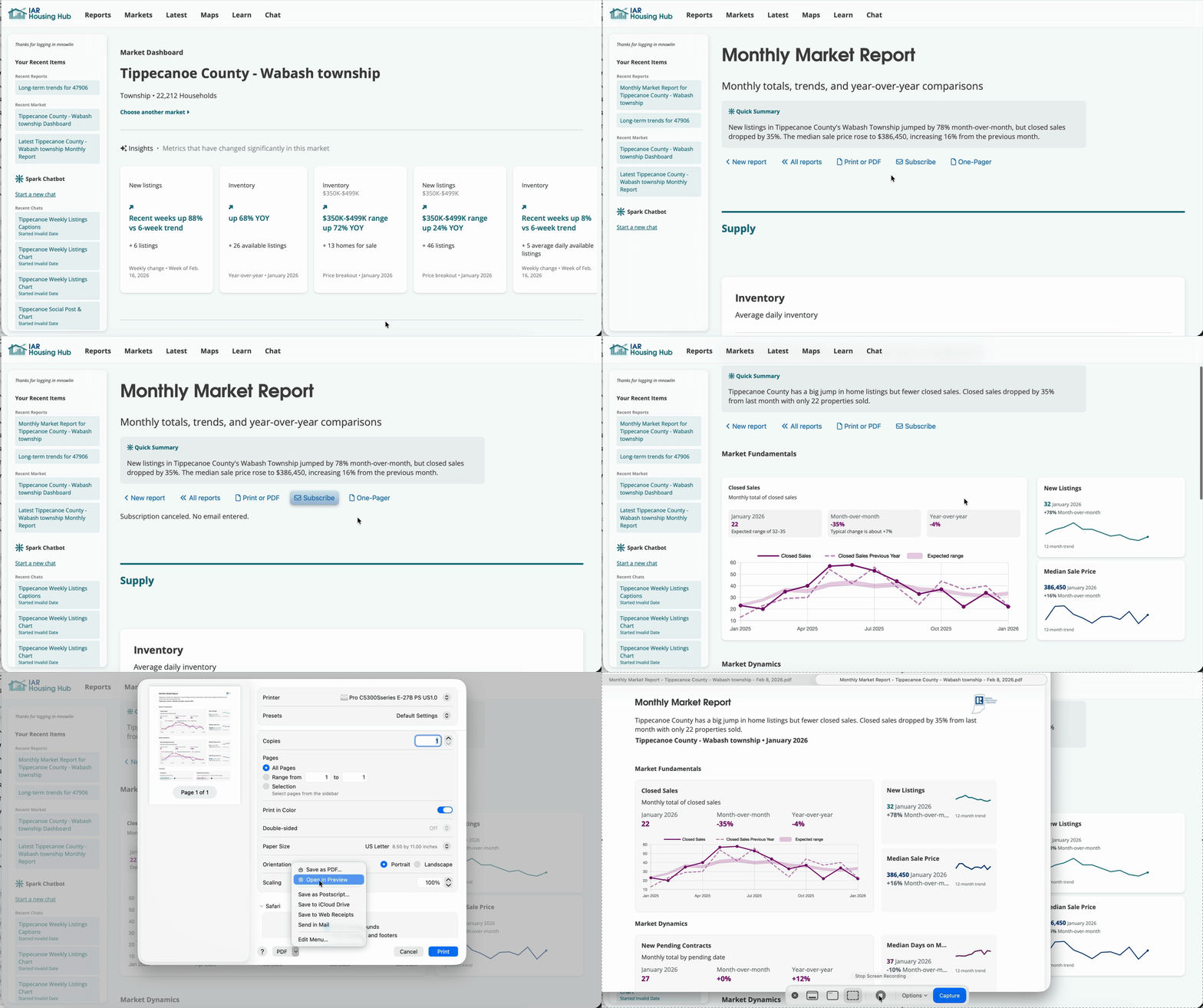
Export one-pager market report

Preview: Launch Monthly Report → switch to one-pager → Export PDF
Preview: Launch Monthly Report → switch to one-pager → Export PDF → subscribe

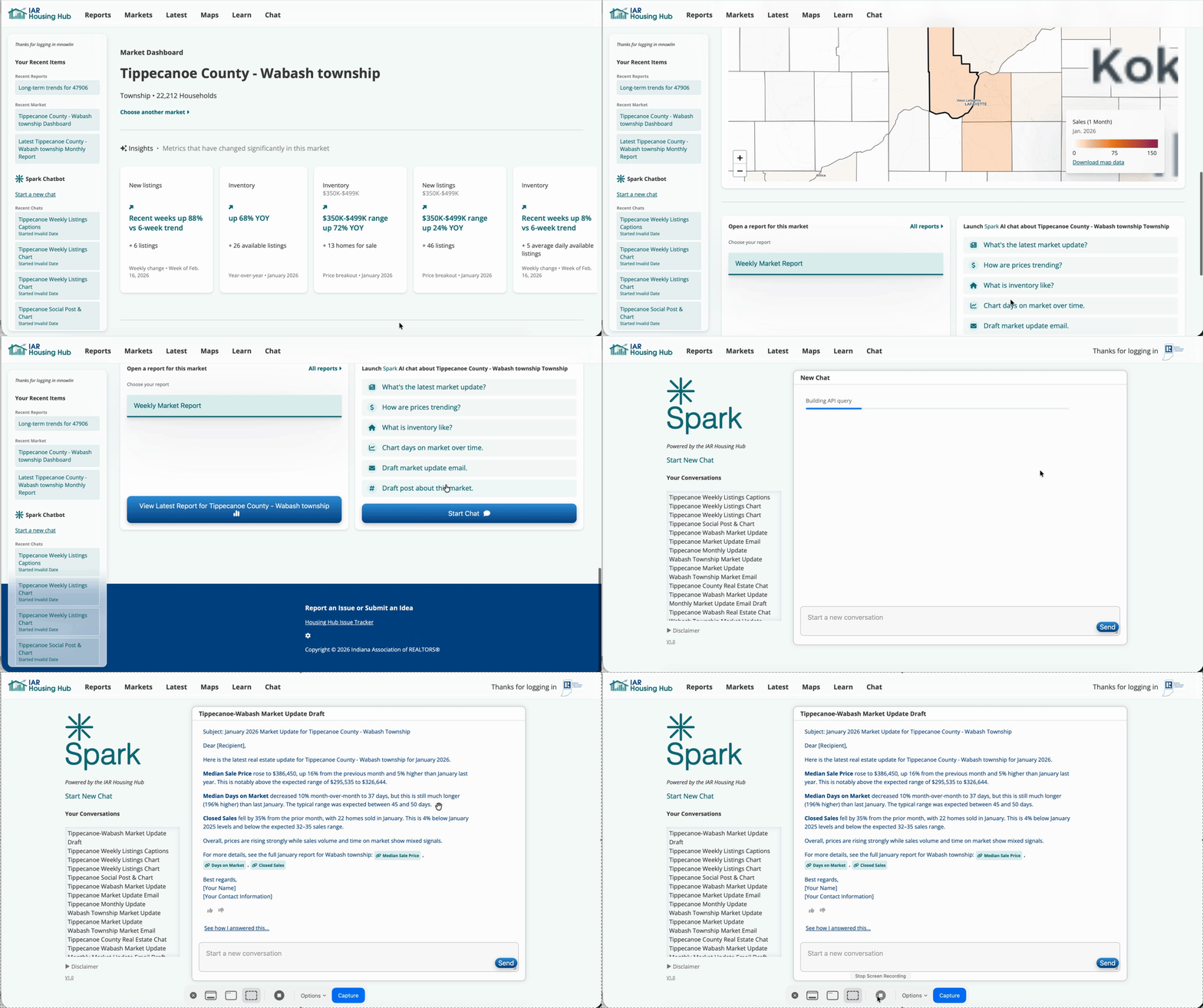
Generate update email

Preview: Launch Spark → Copy and revise email

How to do it

When to use this

Steps

  1. Use the Markets tab to select a township and load the dashboard.
  2. Launch a Monthly Market Report and switch to one-pager.
  3. Export a PDF to attach to your email.
  4. Subscribe to get reminded next month.
  5. Ask Spark to draft a short monthly update email.

Why this works

Monthly emails work best when they’re calm, predictable, and local. You’re not trying to drive action—just stay relevant.

Over time, this builds familiarity and trust.


Pro tip

Stick to one takeaway per month. Consistency beats completeness.

Send a monthly update →