
Learn the basics
Spark is our AI chatbot. Start by clicking the Spark tile on the home page. Ask a question about housing stats in an Indiana market.
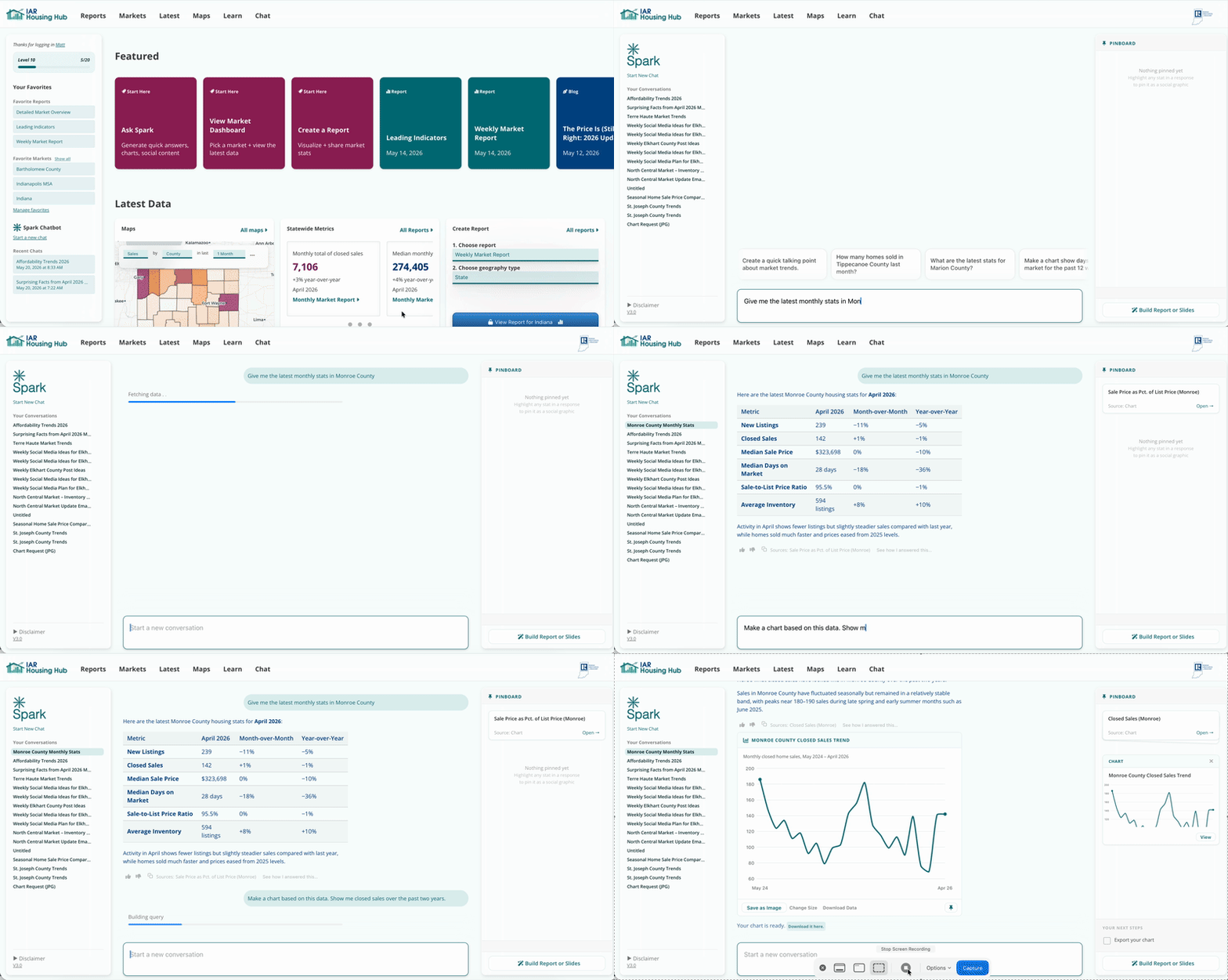
Spark can create charts, posts, emails, and even entire reports and slide decks.
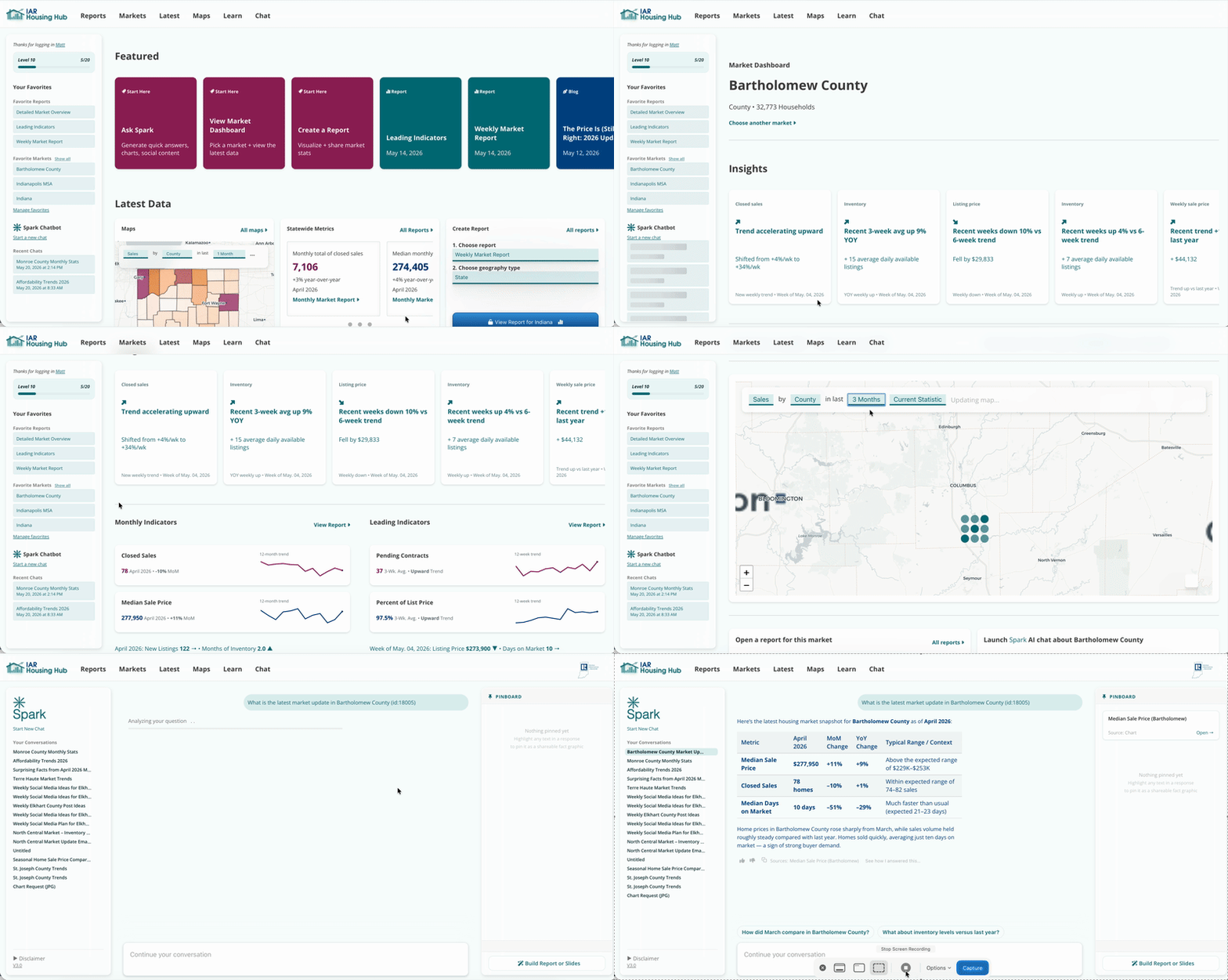
Select your market and see Insight Cards -- sharable cards showing significant trends in this market -- at-a-glance indicators, and interactive maps. At the bottom of the Market Dashboard, quick launch the latest reports or start a conversation about this market with Spark.
On the homepage, click Create a Report. Choose the report you'd like to build. Choose the period and the market the report should cover. Reports are a selection of charts about your selected market.
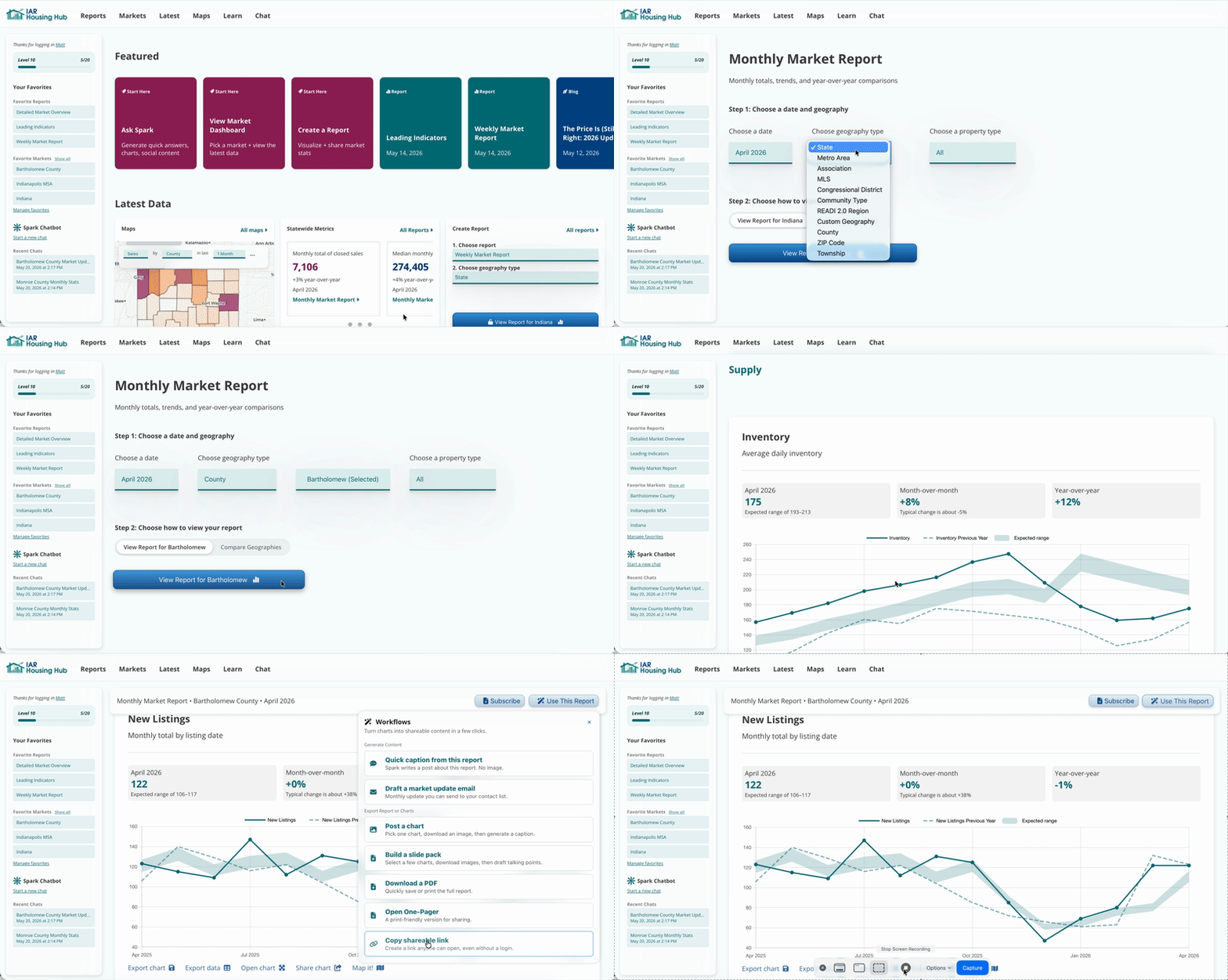
The "Use this Report" menu lets you share the report, download charts, or generate emails and social media content based on this report.
Everything in the Housing Hub is built so you can learn about your market and share your expertise with clients and leads.
When you find interesting data, don't stop there: create something shareable. Generate an email and download a chart to attach. Download an Insight Card and share it with your own perspective in the caption.