
Keep leads warm by consistently sharing market stats
Build a Monthly Market ReportFrom a Monthly Market Report, click "Use This Report" and "Open One-Pager".
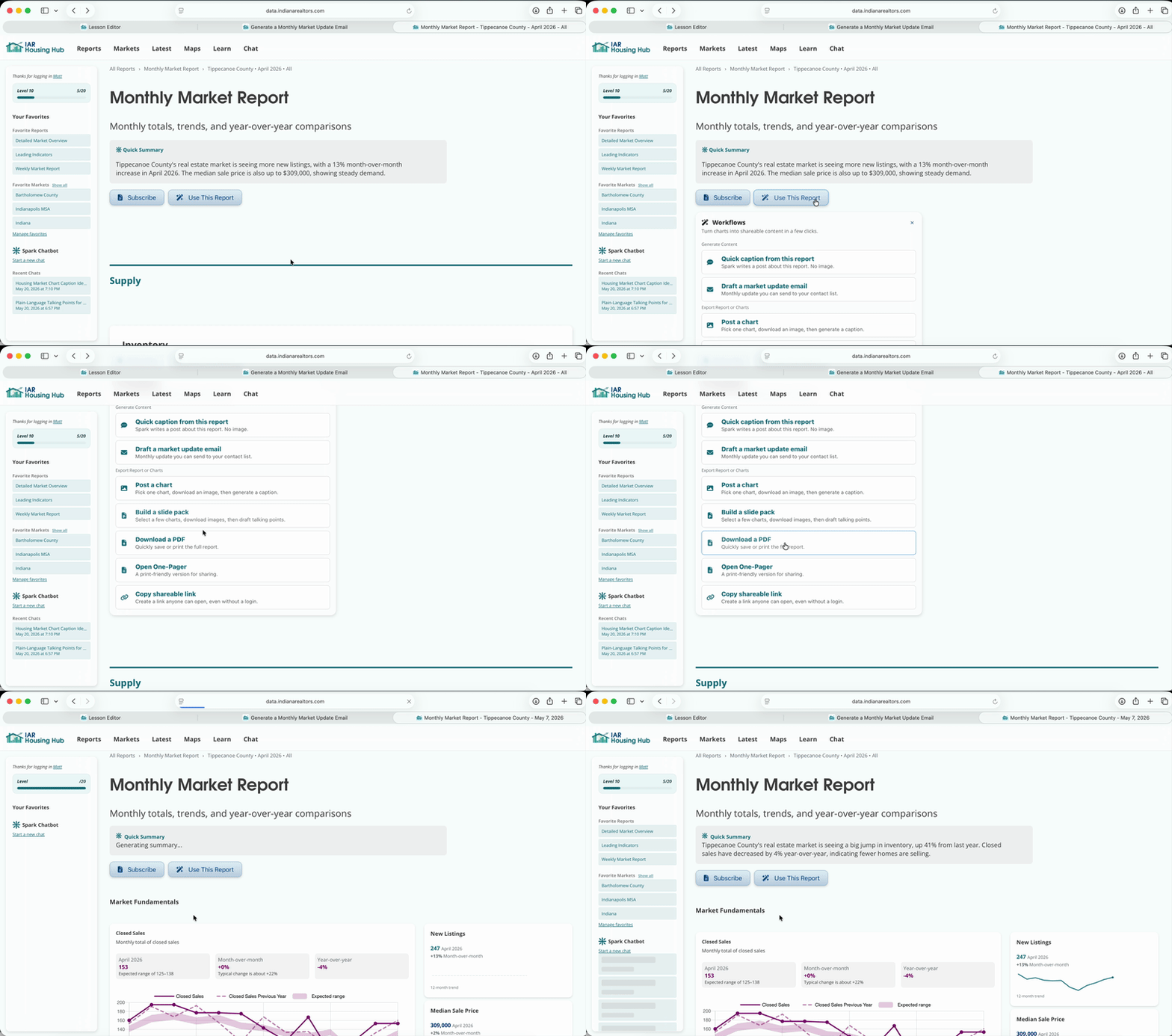
Save the one-pager as a PDF. This is a concise one-sheet that covers all the latest facts without overwhelming the reader. Now you have an attachment to go along with your market update email.
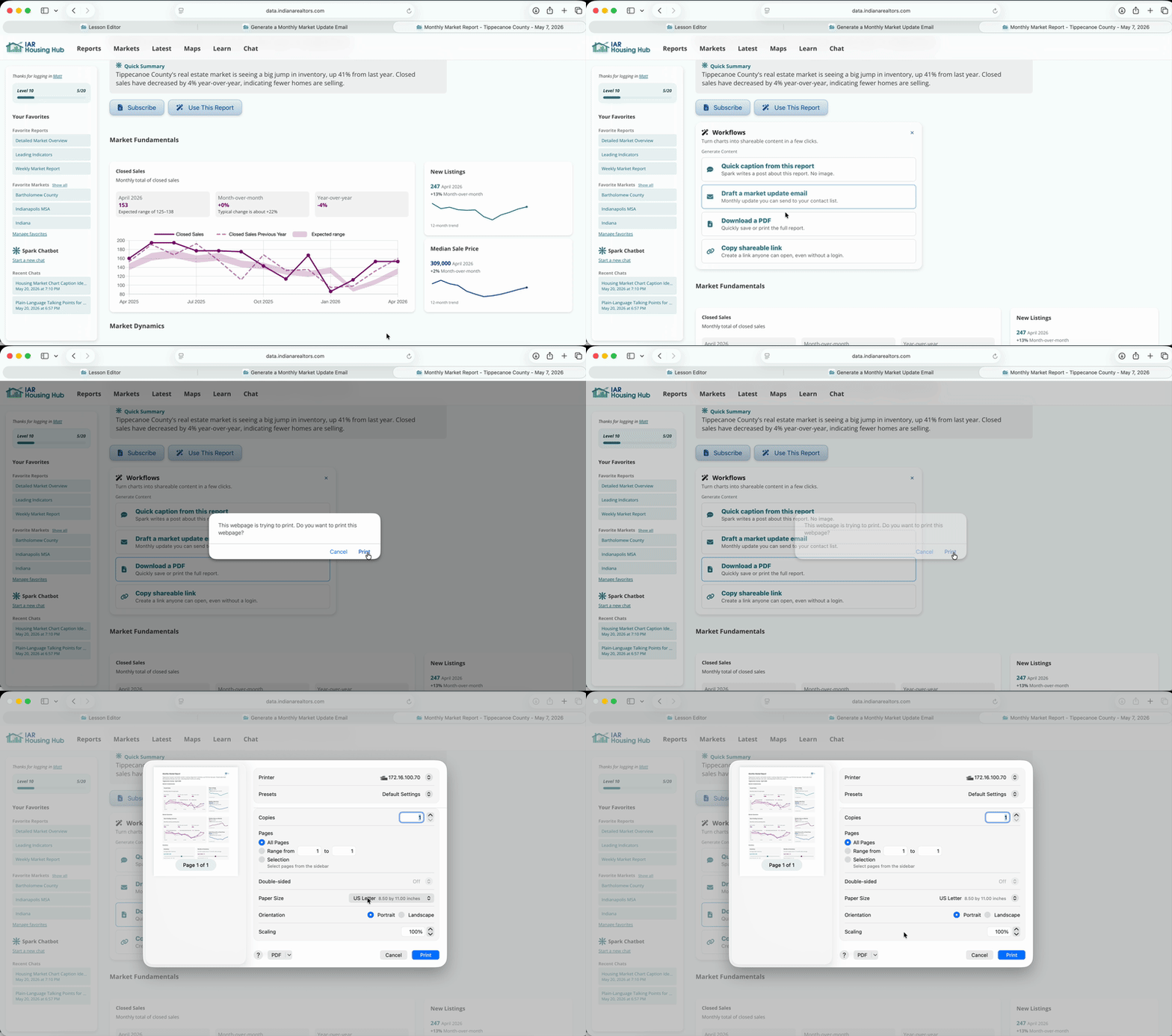
Click "Use This Report" and "Draft a market update email". Edit the text of the email.
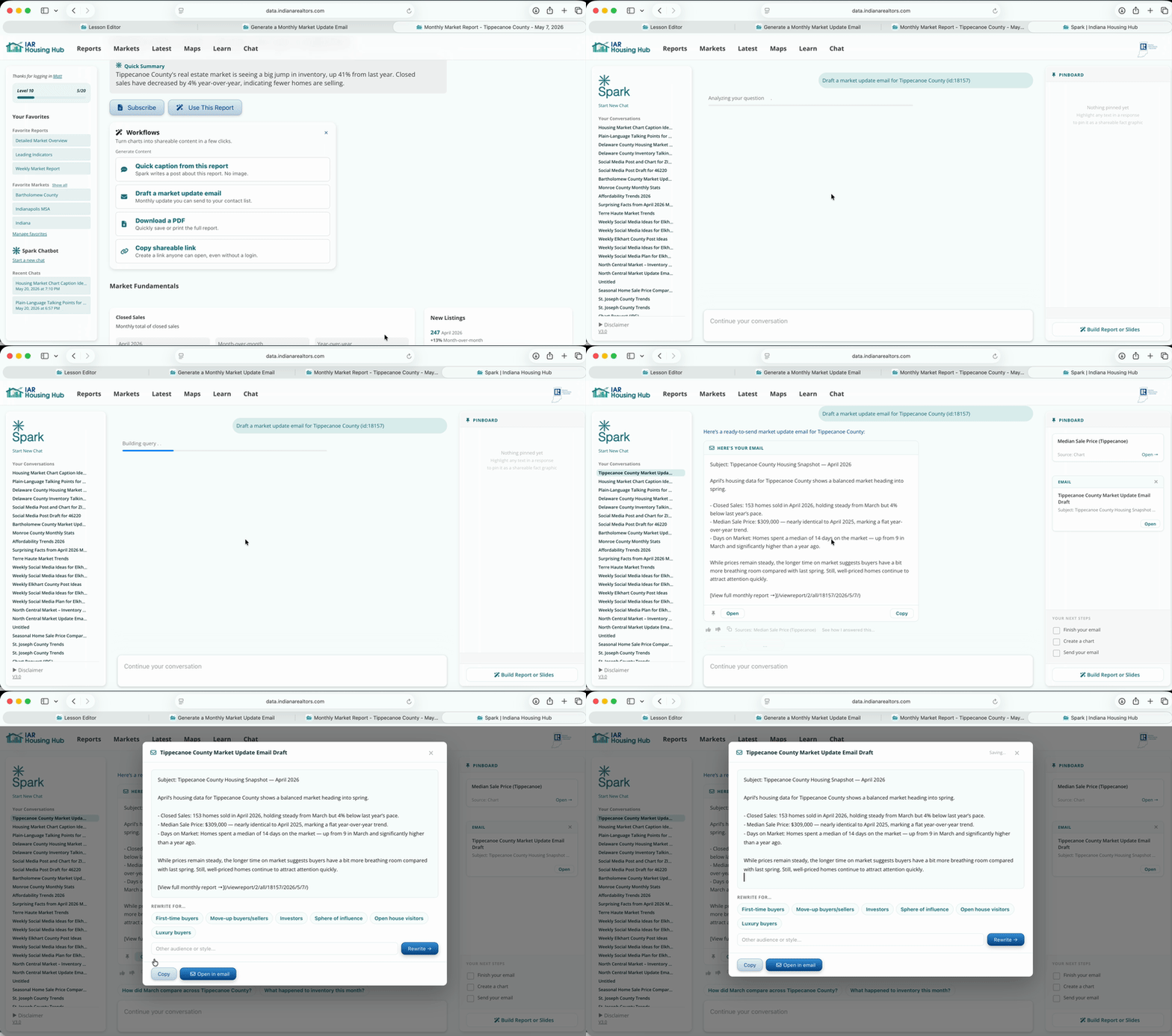
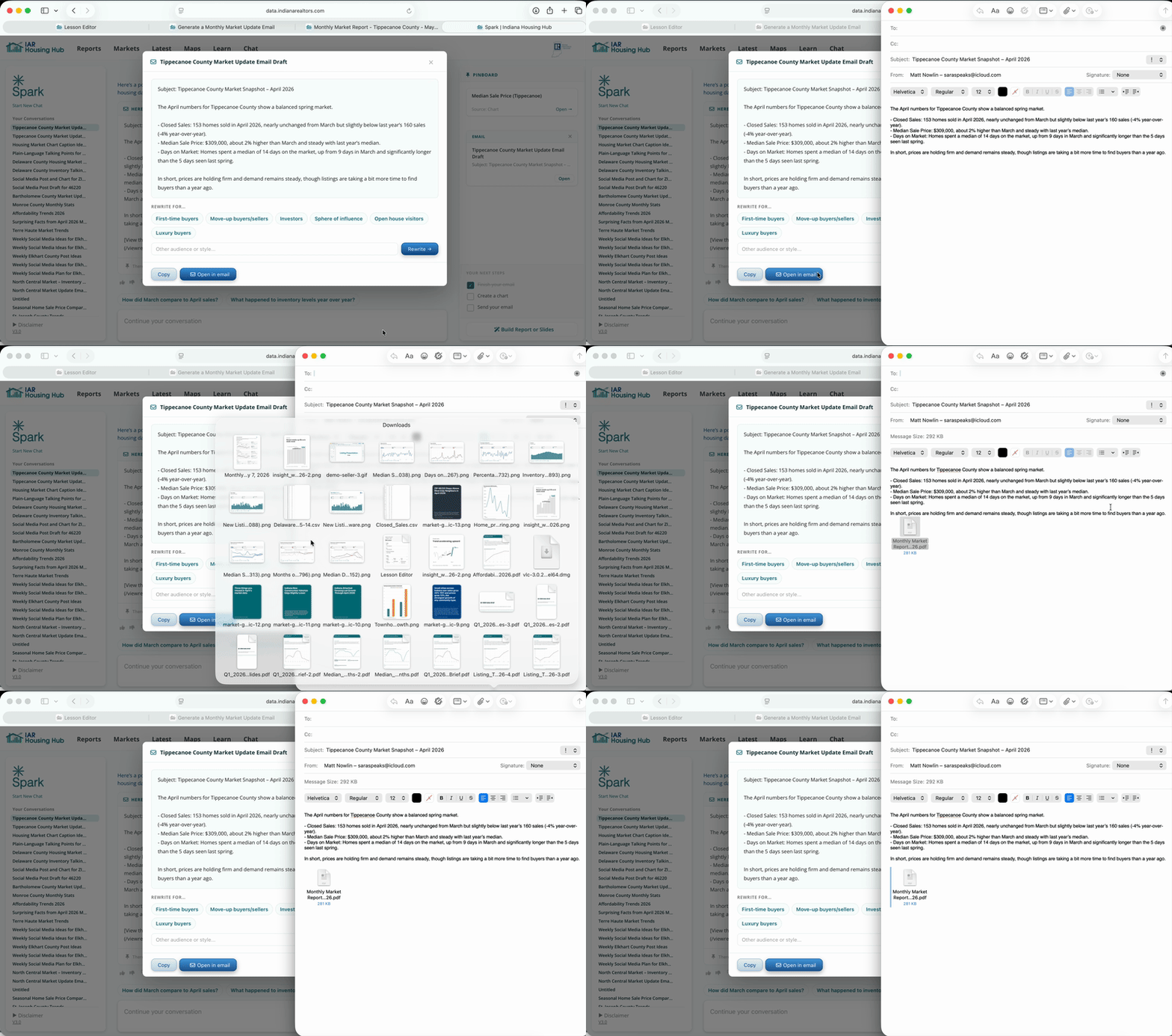
Click "Open in Email" and attach the one-pager from where you saved it (likely Downloads or Documents). Now make your final edits, add your recipients and your signature, and you're ready to send.
Monthly emails work best when they’re calm, predictable, and local. You’re not trying to drive action, just stay relevant. Over time, this builds familiarity and trust.
Stick to one takeaway per month. Consistency beats completeness.