
Set expectations with 2-3 data-driven slides about a ZIP Code
We'll focus on the ZIP Code where the listing is located. Export the Median Sale Price chart and the Days on Market chart.
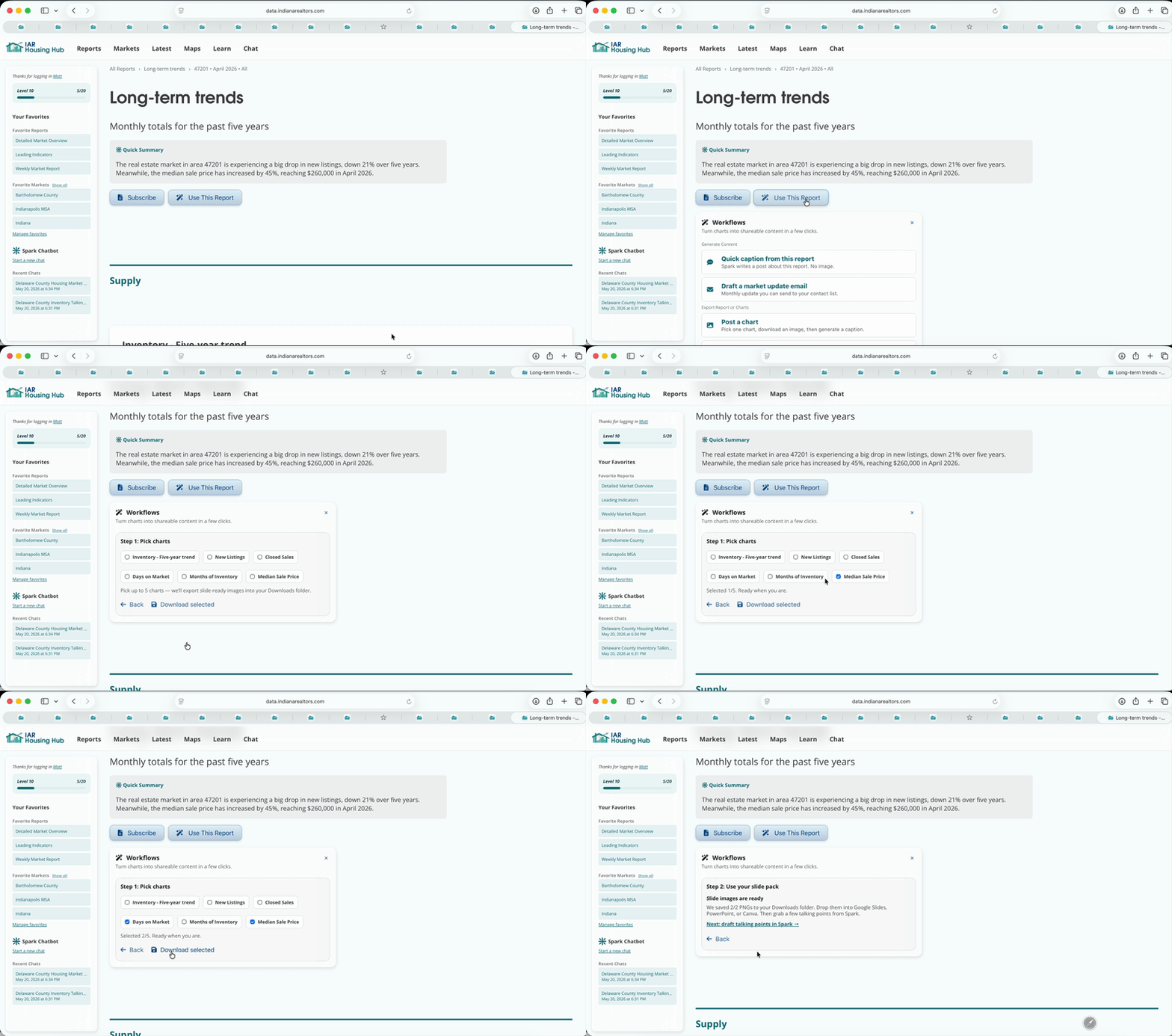
Have Spark draft talking points for the slides you downloaded.
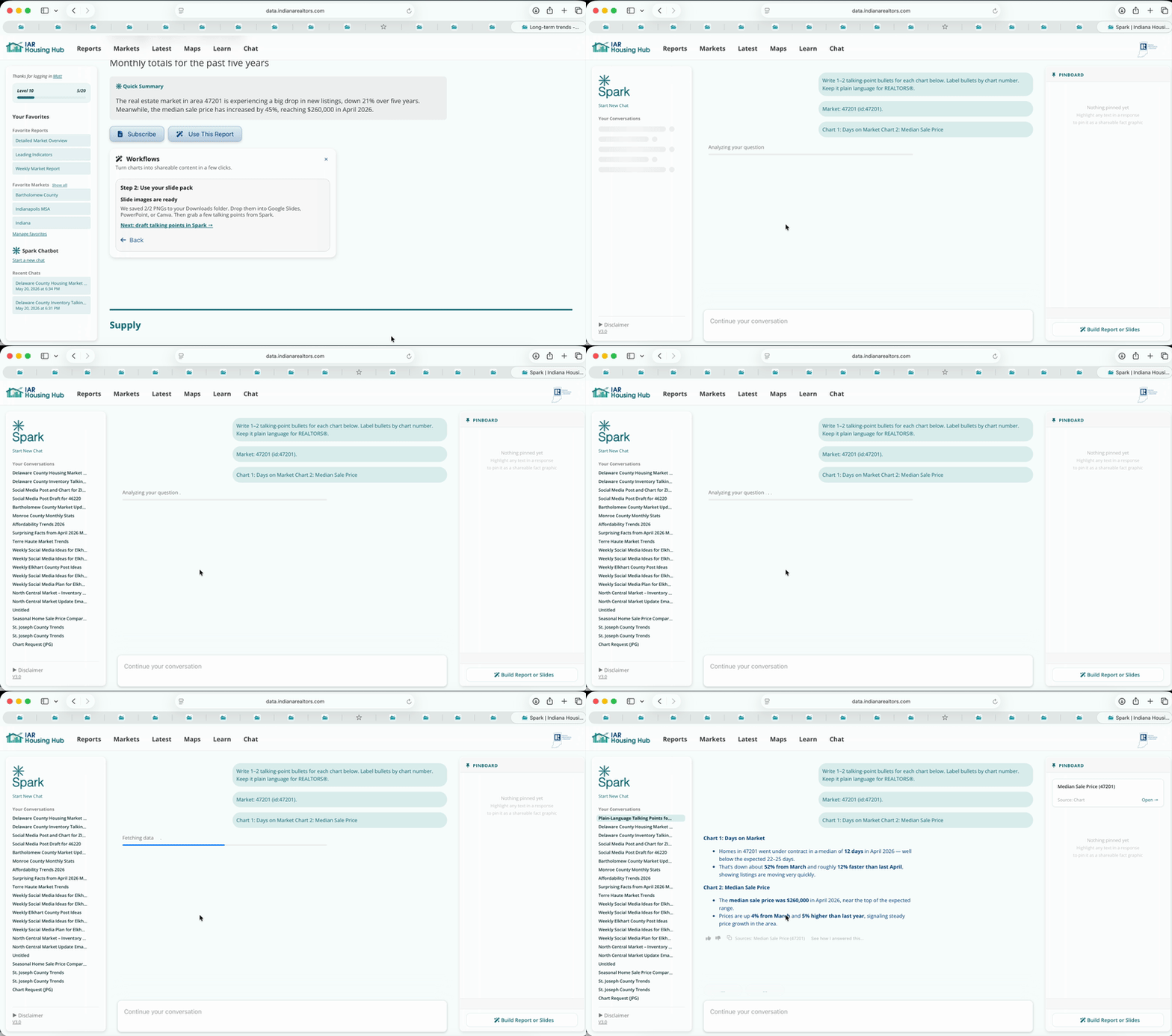
You'll end up with a couple bullets for each chart. You can copy these into slides.
Find the charts in your downloads folder. Copy the talking points from Spark. Edit until you are satisfied.
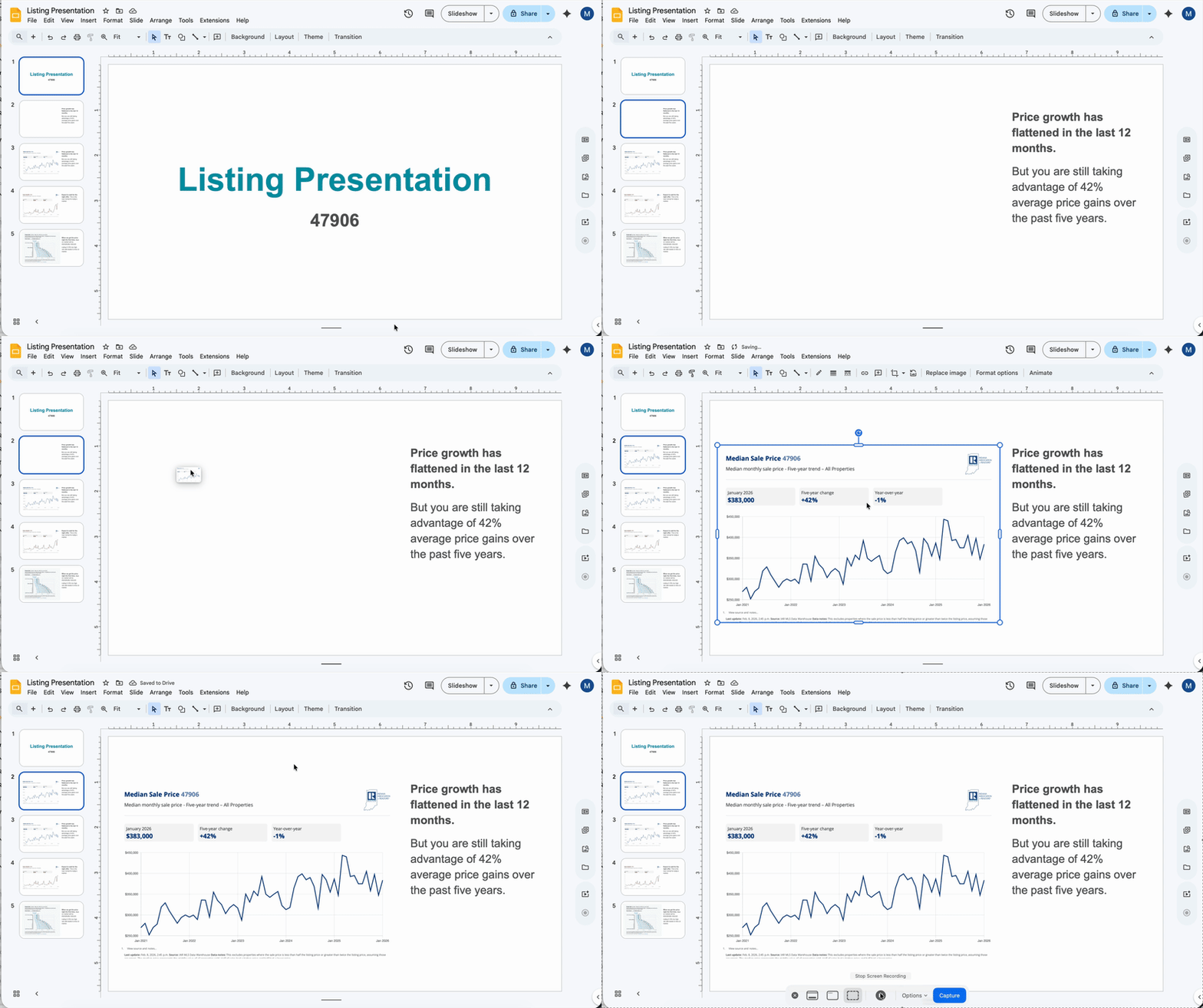
Long-term trends shift the conversation away from emotion and toward context. Sellers are more receptive when they see how today fits into a larger pattern. The charts do the explaining for you.
The charts should take up most of the slide area. For talking points, describe the point of each chart briefly with large fonts.