
Build and share market reports.
Open ReportsOpen Reports and click Select Report on the one you want. IAR publishes more than a dozen weekly and monthly reports built from MLS data across Indiana. Reports with a lock need your REALTOR member login.
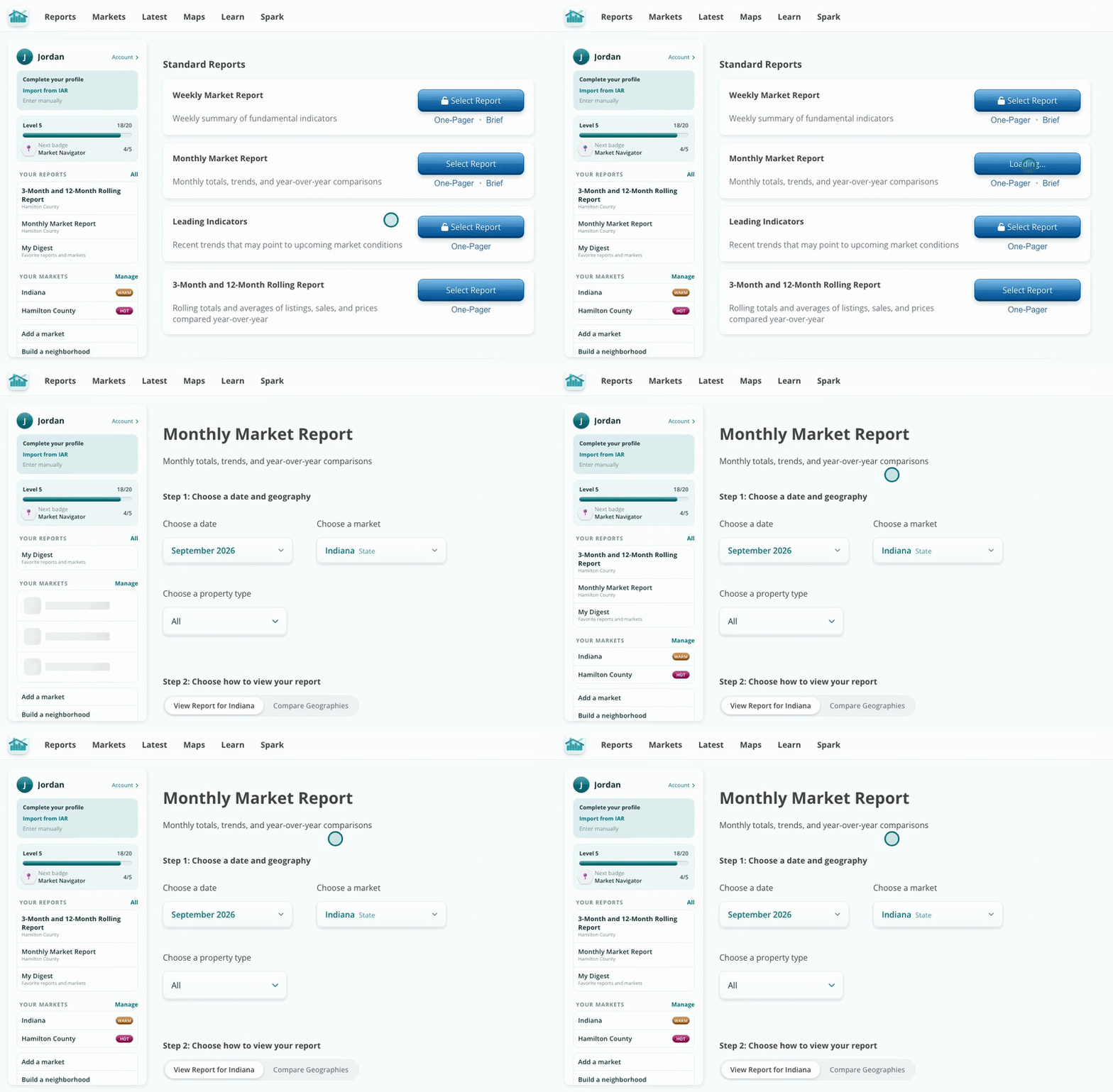
The Monthly Market Report and the 3-Month and 12-Month Rolling Report are the most used.
Click the date to open the calendar and pick a month. Click the market and type to search any county, city, ZIP, township or association. Then click View Report.
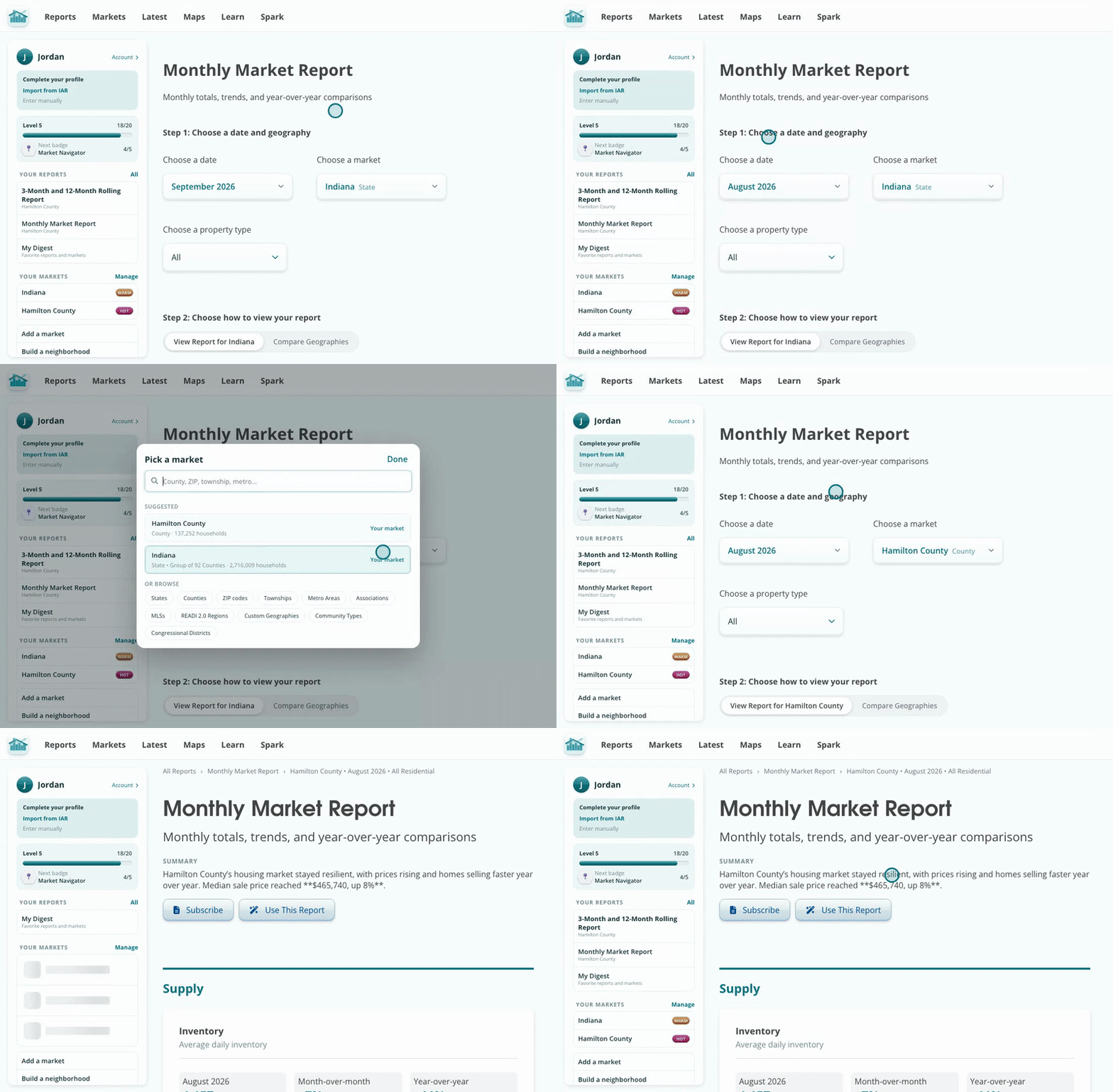
Start typing a place name to find it fast.
A report is a set of charts about your market. Hover any chart to see the values. Under each chart you can export the chart as an image, export its data, share it, or map it.
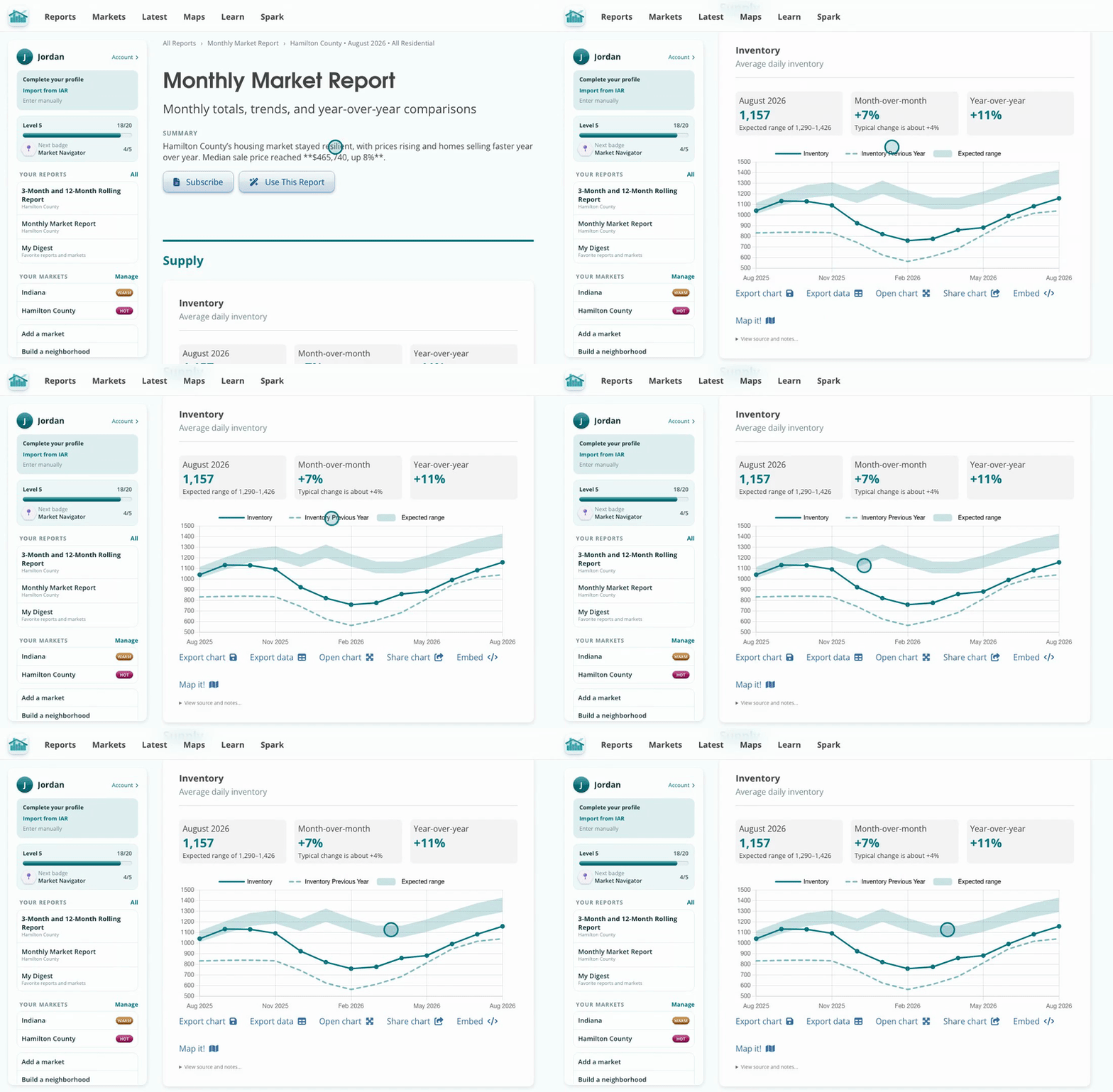
Every chart has export, share and map tools underneath.
Click Use This Report for everything you can make from it: a quick caption, a market update email, a single chart post, a slide pack, the one-pager, a PDF, or a shareable link that works without a login.
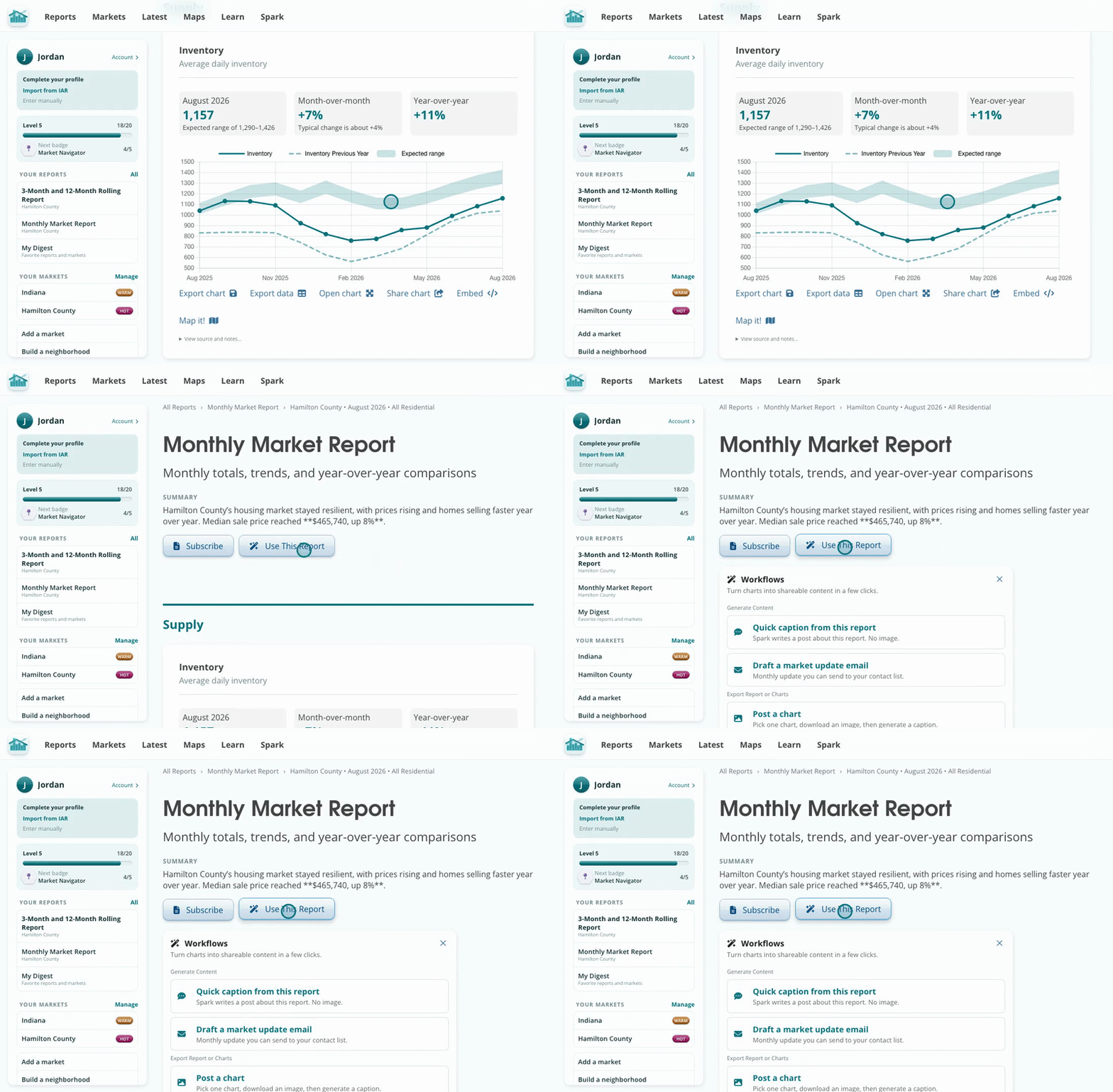
Download a PDF to print it or attach it to an email.
Every report is built from the same MLS data across Indiana, so you can trust the numbers and compare any market on the same terms.
Copy shareable link gives a public link to this exact report, market and date, even for member-only reports.