
Learn about market data and generate shareable content
Open SparkClick Spark in the navigation bar. A new chat opens with a text box and a few one-click starts, including any recipes you have saved.
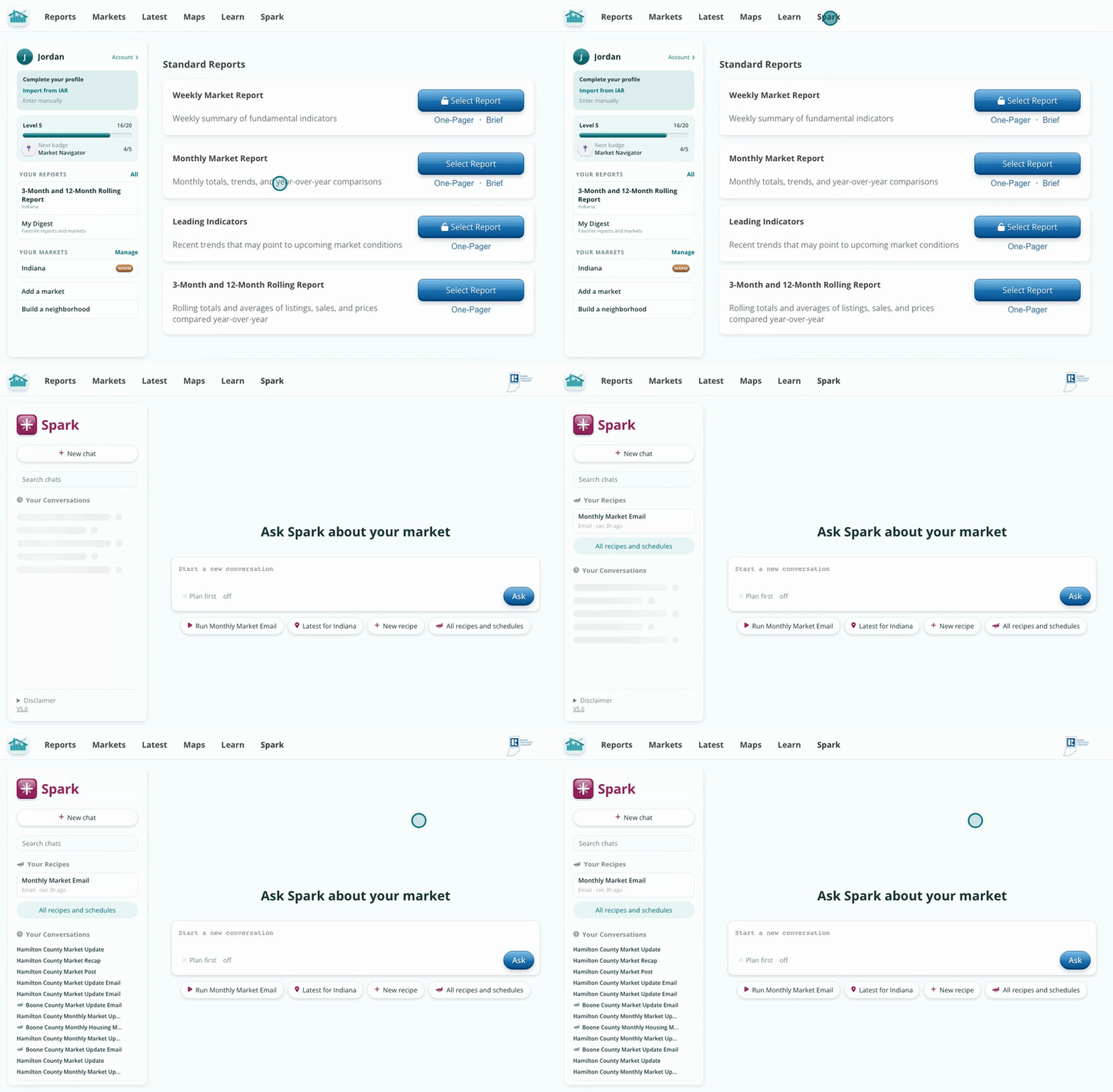
Ask anything about an Indiana market, or start from a recipe.
Type a question and press Enter. Ask about an indicator, a market, or a ranking, or ask for a chart, a post or an email. Spark shows its steps while it works, then answers with the numbers and a chart, and the pinboard fills in beside it.
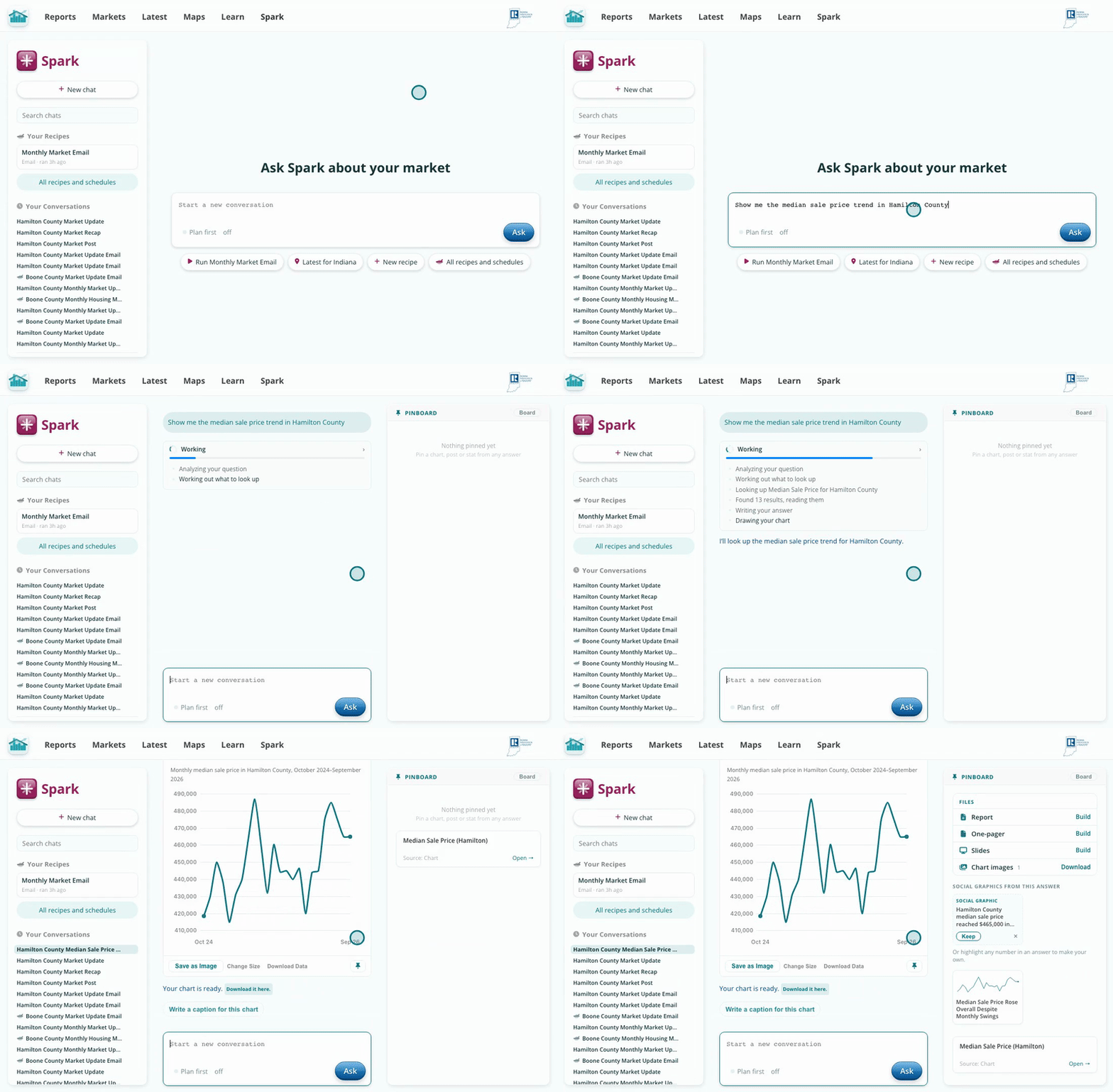
Spark only uses aggregate data the Hub has built and checked, not individual MLS records.
Charts, emails, posts and graphics from the chat collect on your pinboard. Open any pin to see it larger, save it as an image, or download its data. Pins stay with the chat, so you can come back to them later.
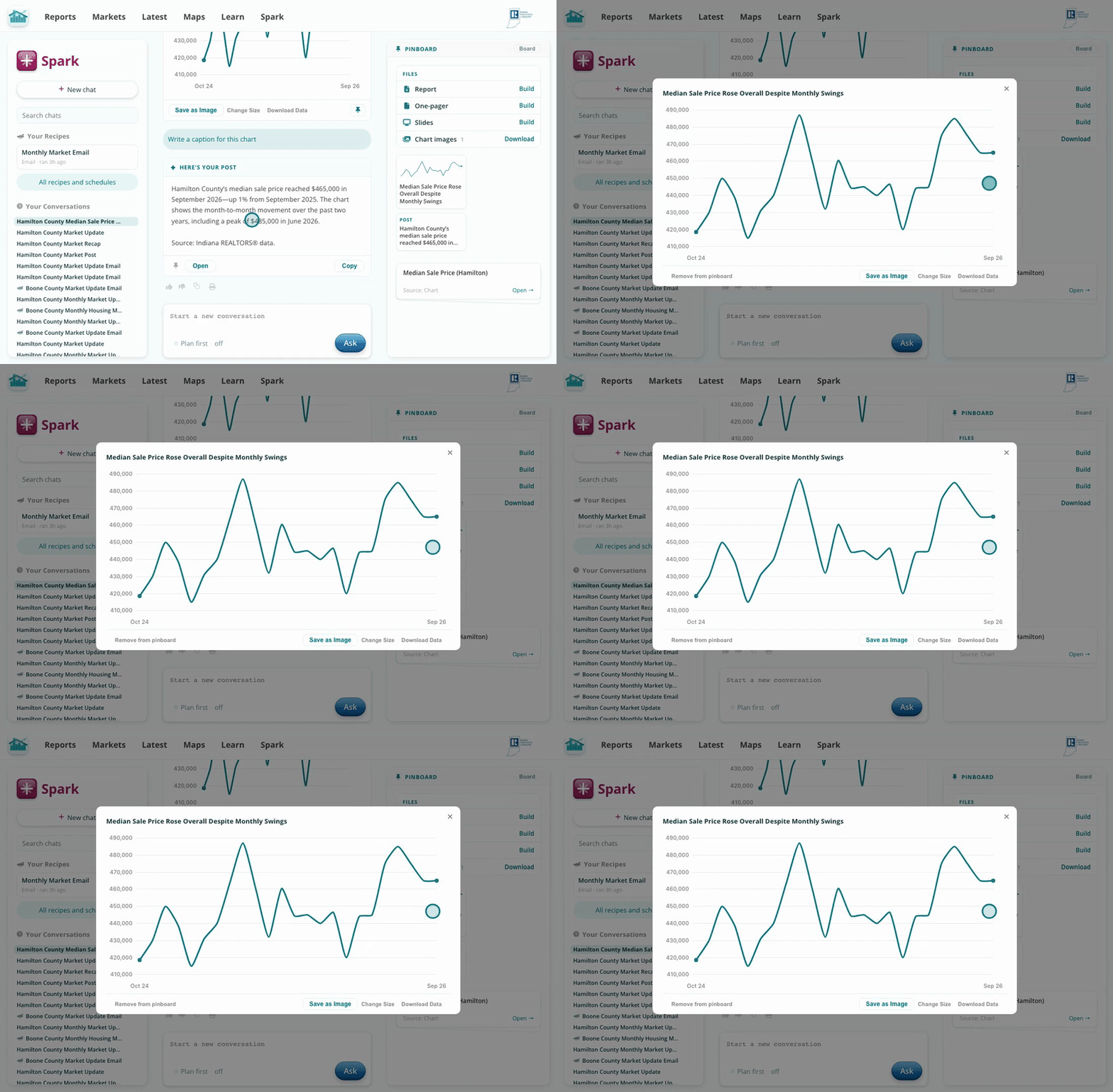
Everything Spark makes for you is kept on the pinboard.
Under each answer, Spark suggests a next step, like writing a caption for the chart. Click one, or type your own follow-up. Spark remembers the market and the numbers from earlier in the chat.
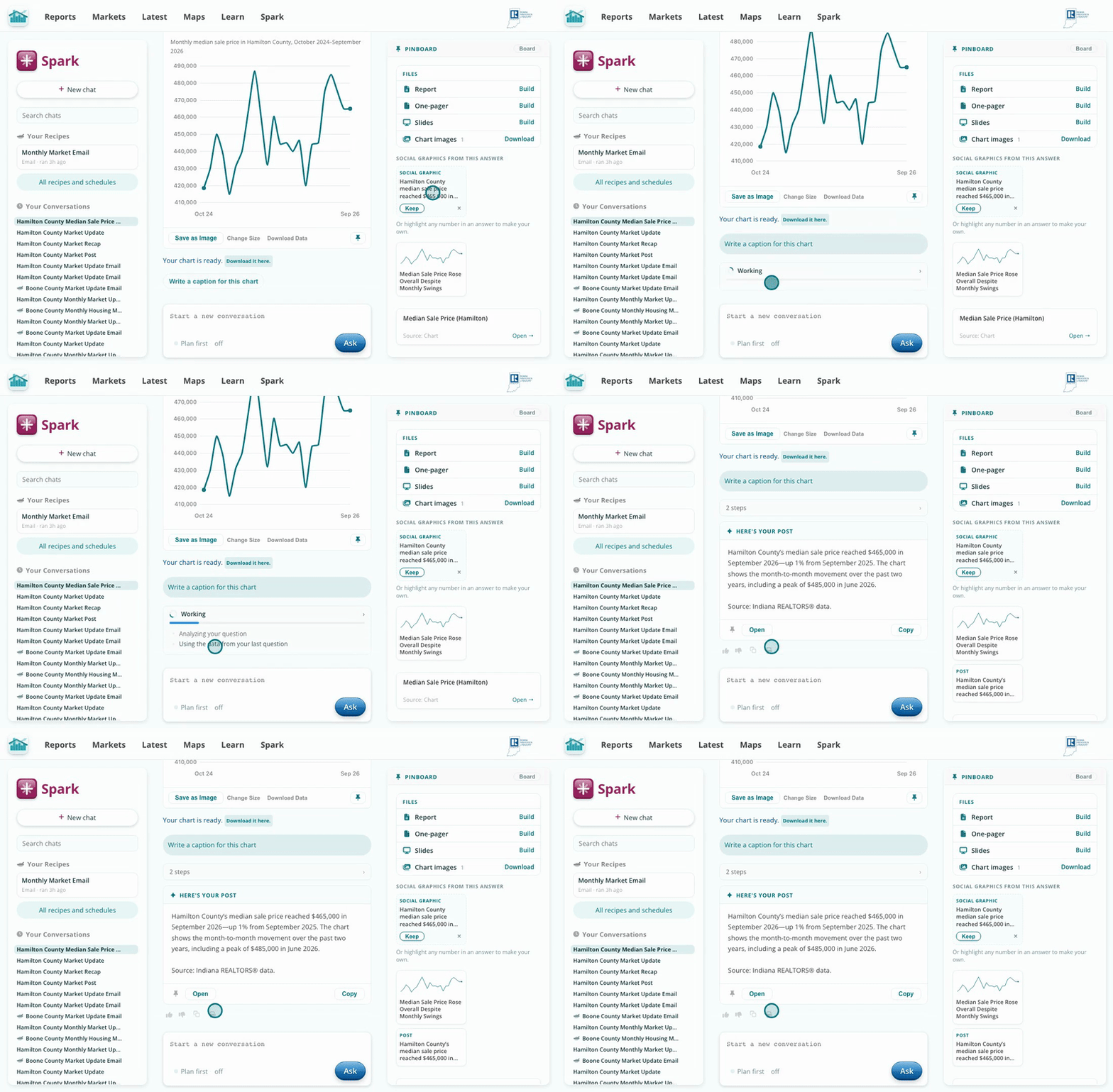
One click turns a chart into a captioned post.
Spark answers from the same source data as the Hub's market reports, and every answer lists its sources, so you can check any number before you share it.
Spark only sees aggregate data, not individual MLS records, so it cannot answer questions about a specific property.