
Schedule a recipe once and a finished market update lands in your inbox every month or every week, as soon as new data arrives.
Open your schedulesA recipe is a saved answer shape: a market update email, a social post, a client one-sheet. Save one from any answer you like by clicking Save as recipe.
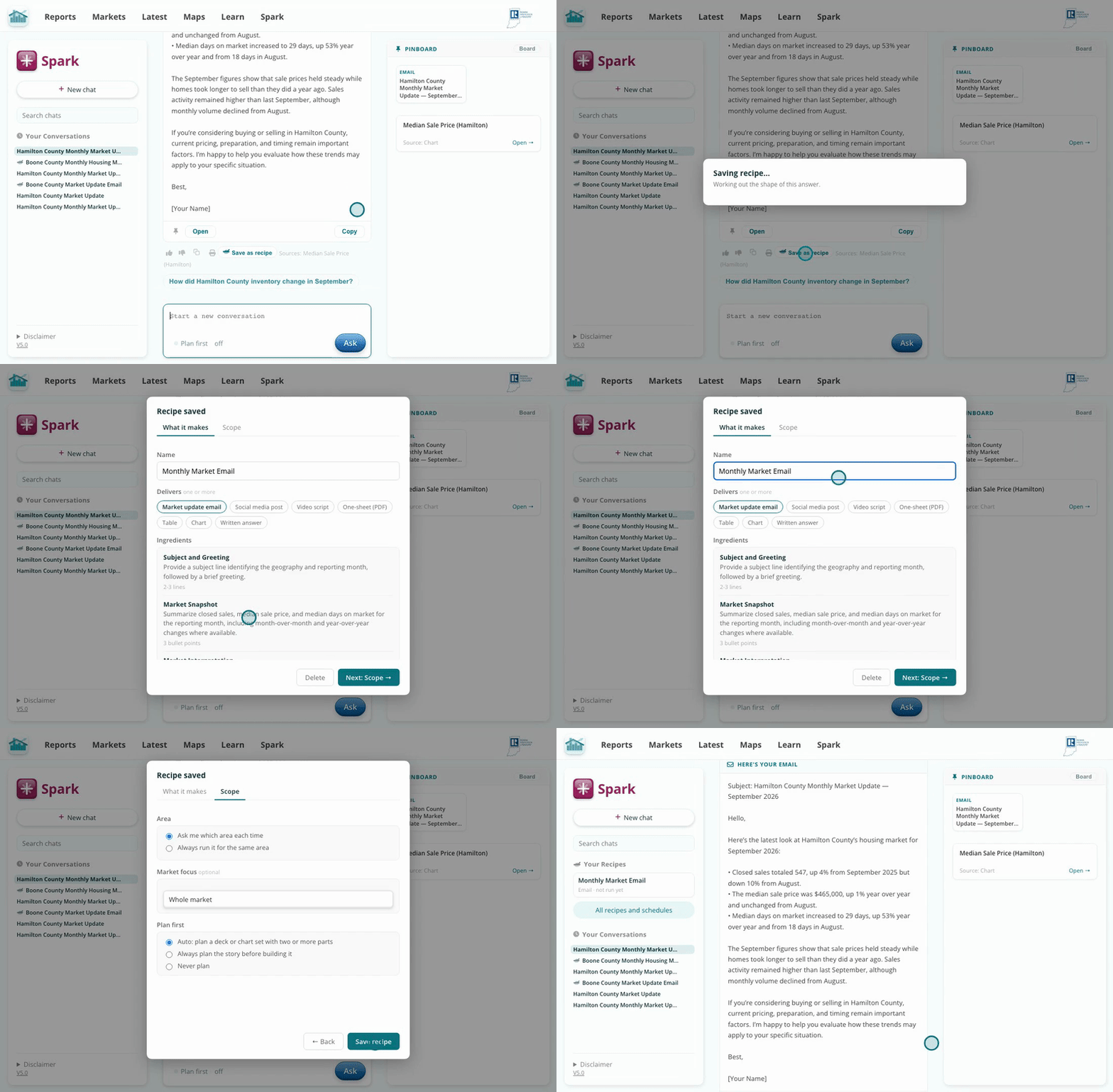
Any recipe can run on a schedule.
In Spark, click All recipes and schedules, open Schedules, and click New schedule. Pick the recipe, the area, and monthly or weekly. Each time new data lands, the finished market update is emailed to you.
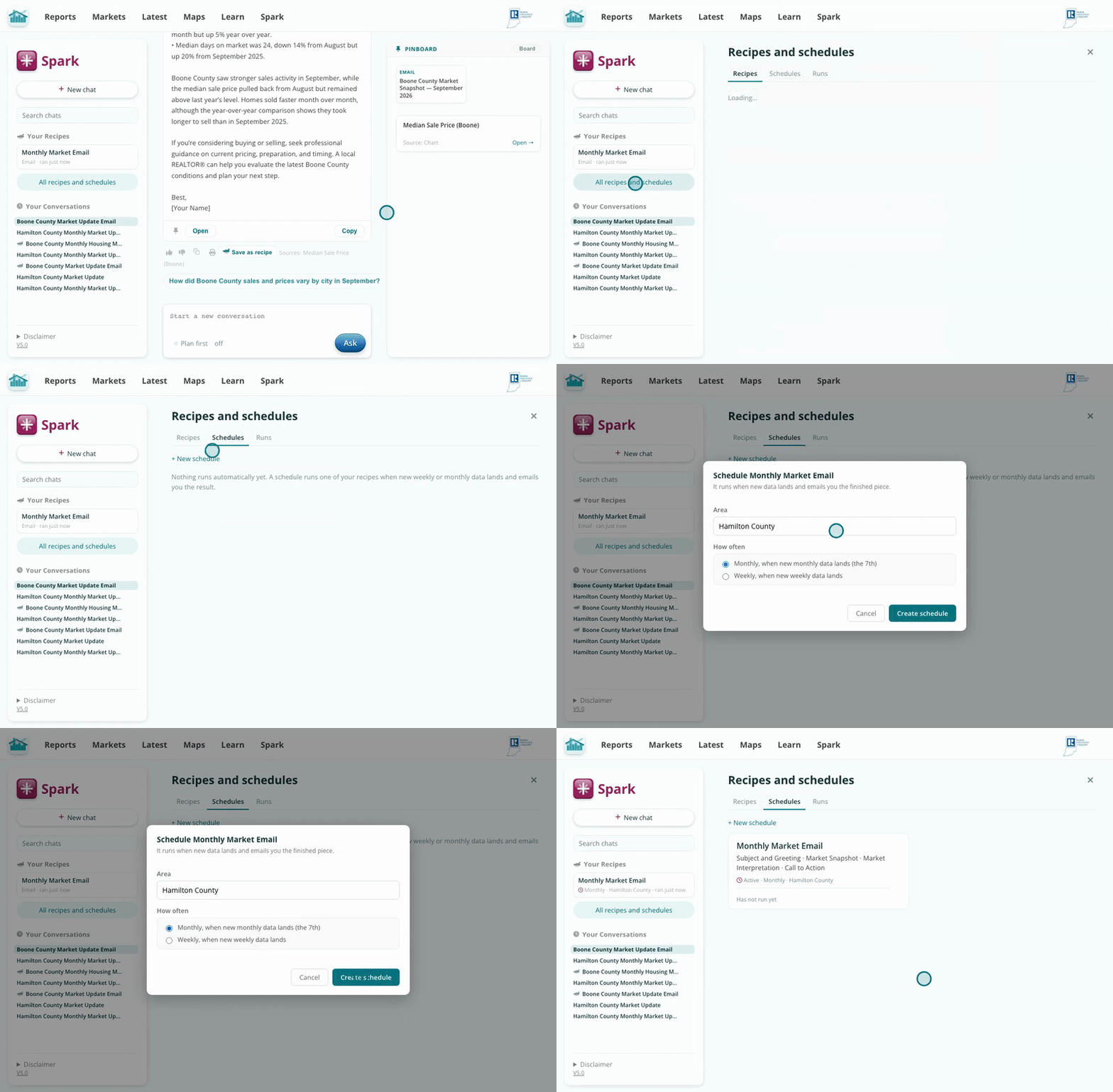
Your market update, emailed automatically on the data's schedule.
Each schedule has a menu with Run now, Pause, and Delete. Its recent runs are listed on the card, each linked to the chat it made.
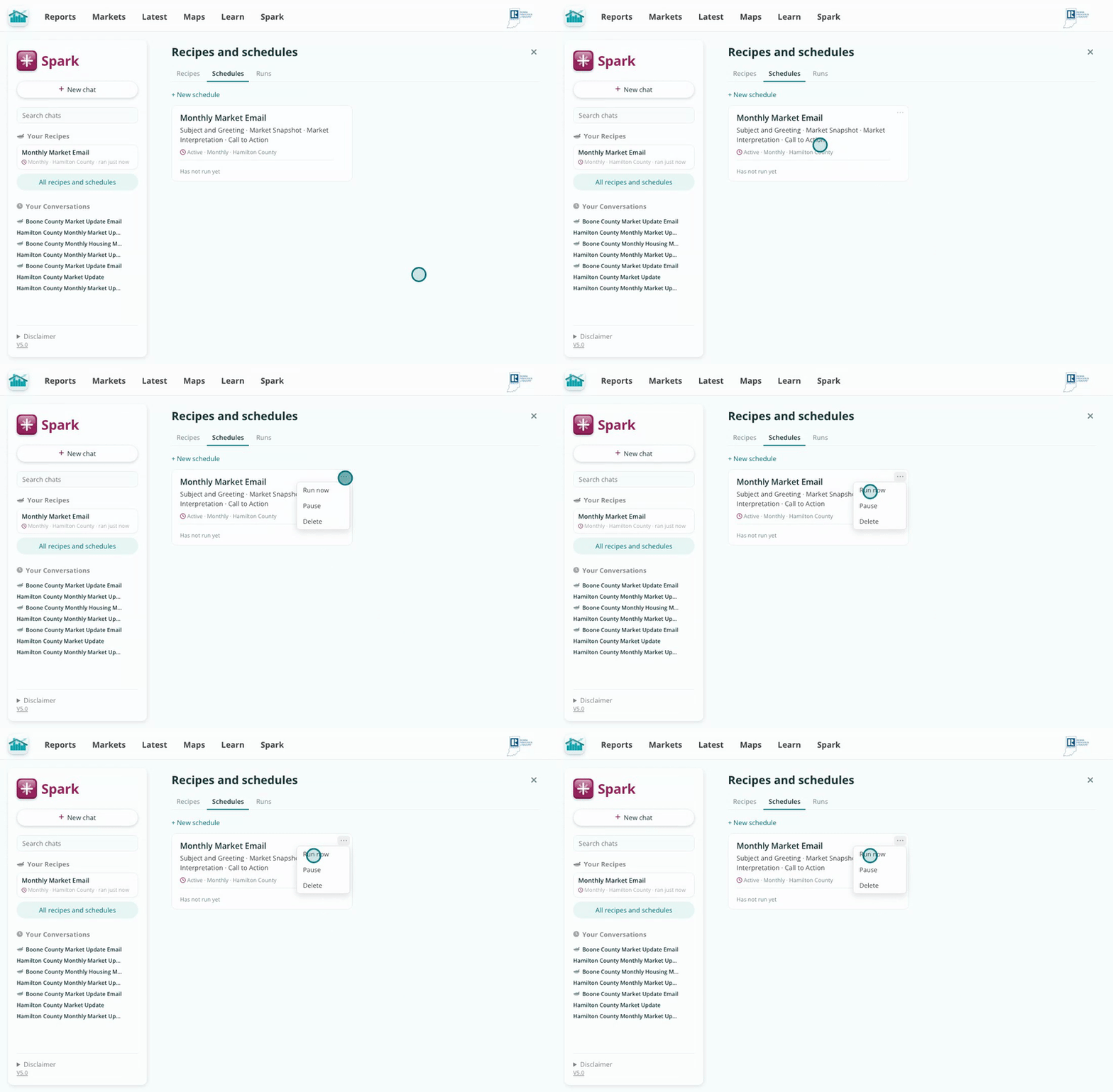
Change your mind anytime.
The schedule rides the data pipeline itself, so the email fires when new numbers actually land instead of on a calendar guess. The update in your inbox is always about data that just arrived, and you never send a client last month's story.
One recipe can back several schedules: the same monthly email for each county you work.